



បន្ថែមកម្មវិធីវ៉ិបទៅអេក្រង់ដើម iPhone របស់អ្នក
iPhones cannot install app files from outside the App Store. A web app, though, can be added to your home screen from Safari and opened from its icon like an app. The pictures are from iOS 26.4 (in Korean); the red outline marks where to tap. Other versions may place buttons slightly differently.
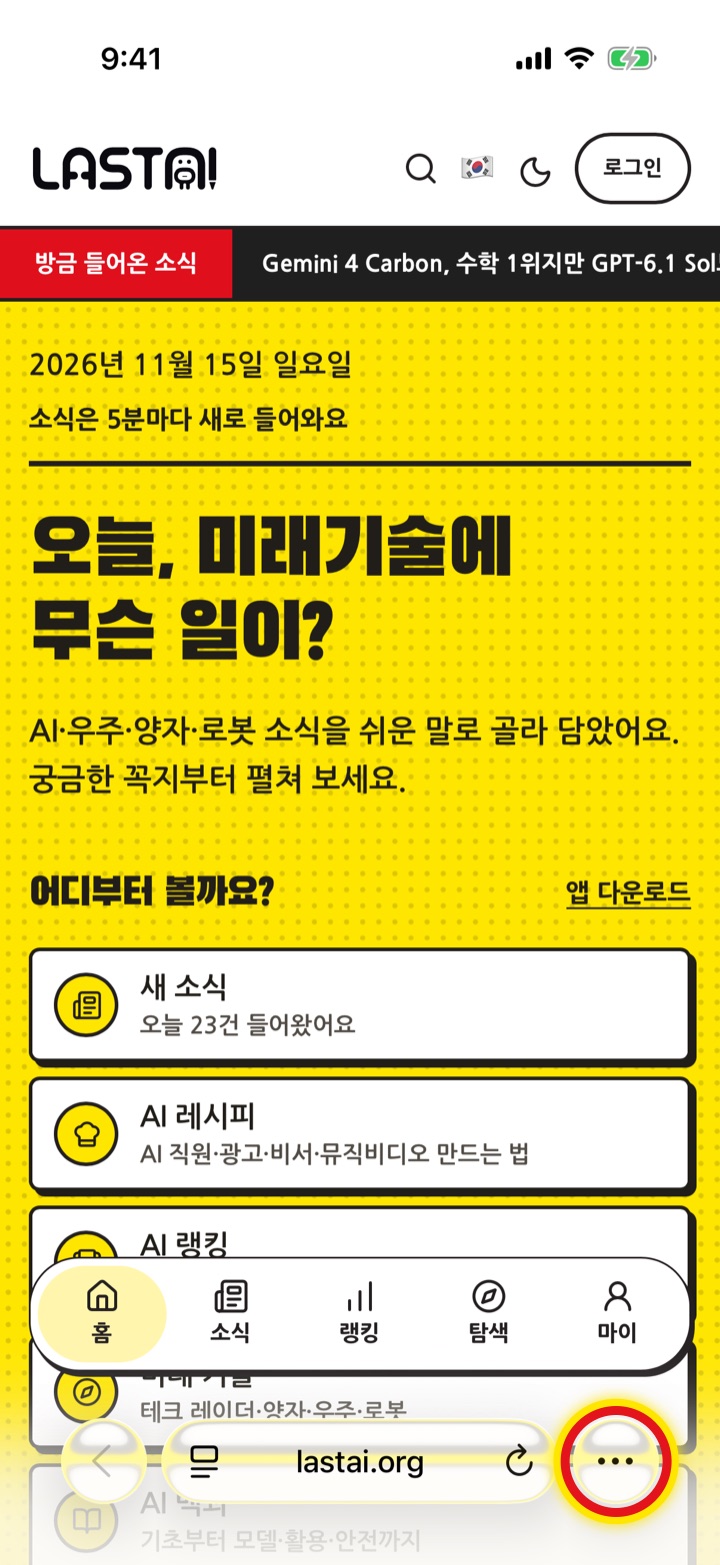
1Open it in Safari and tap '•••'
Open the web app you want in Safari, the iPhone's built-in browser. 'Open the web app' on Community apps opens it straight away (the pictures show LastAI). Tap the ••• button to the right of the address bar at the bottom.
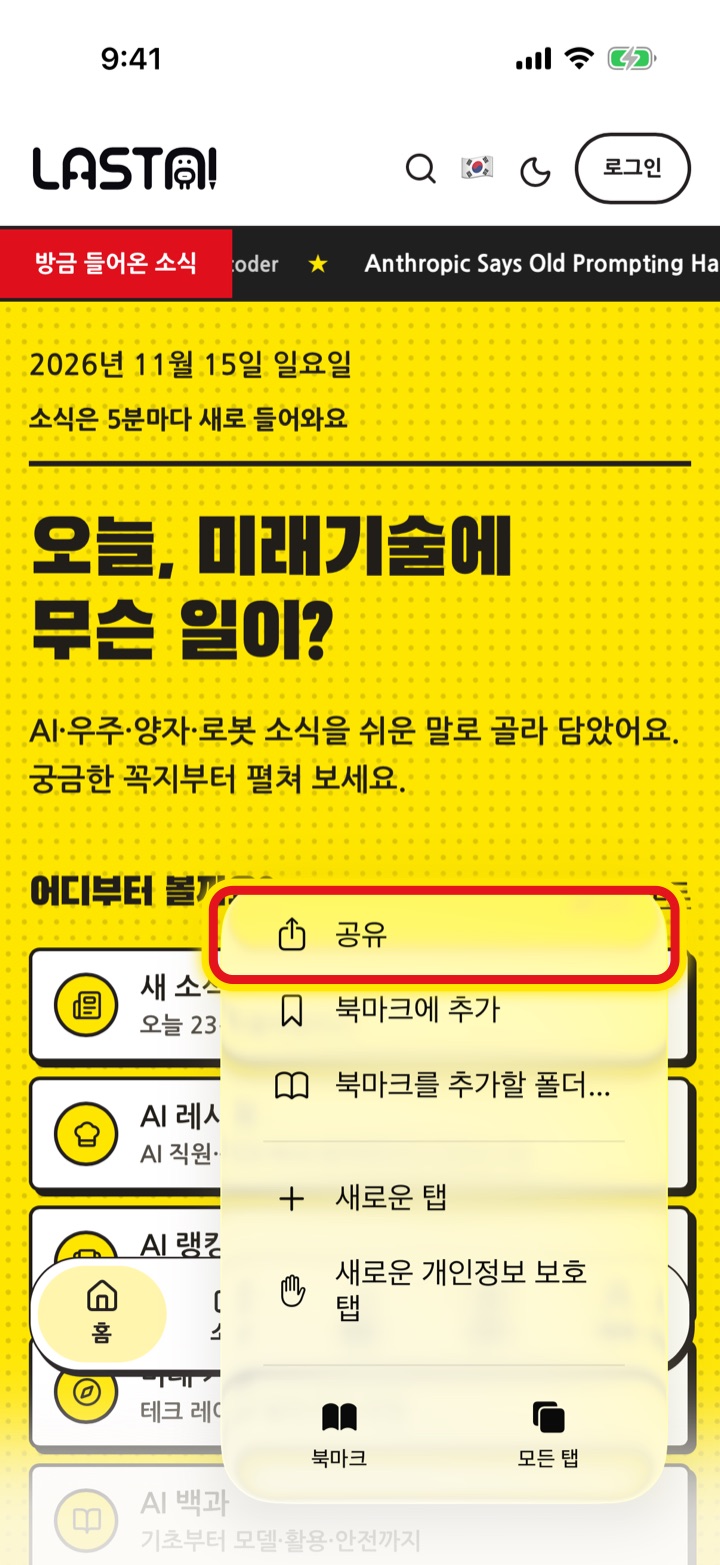
2Tap 'Share'
Tap ចែករំលែក at the top of the menu that opens.
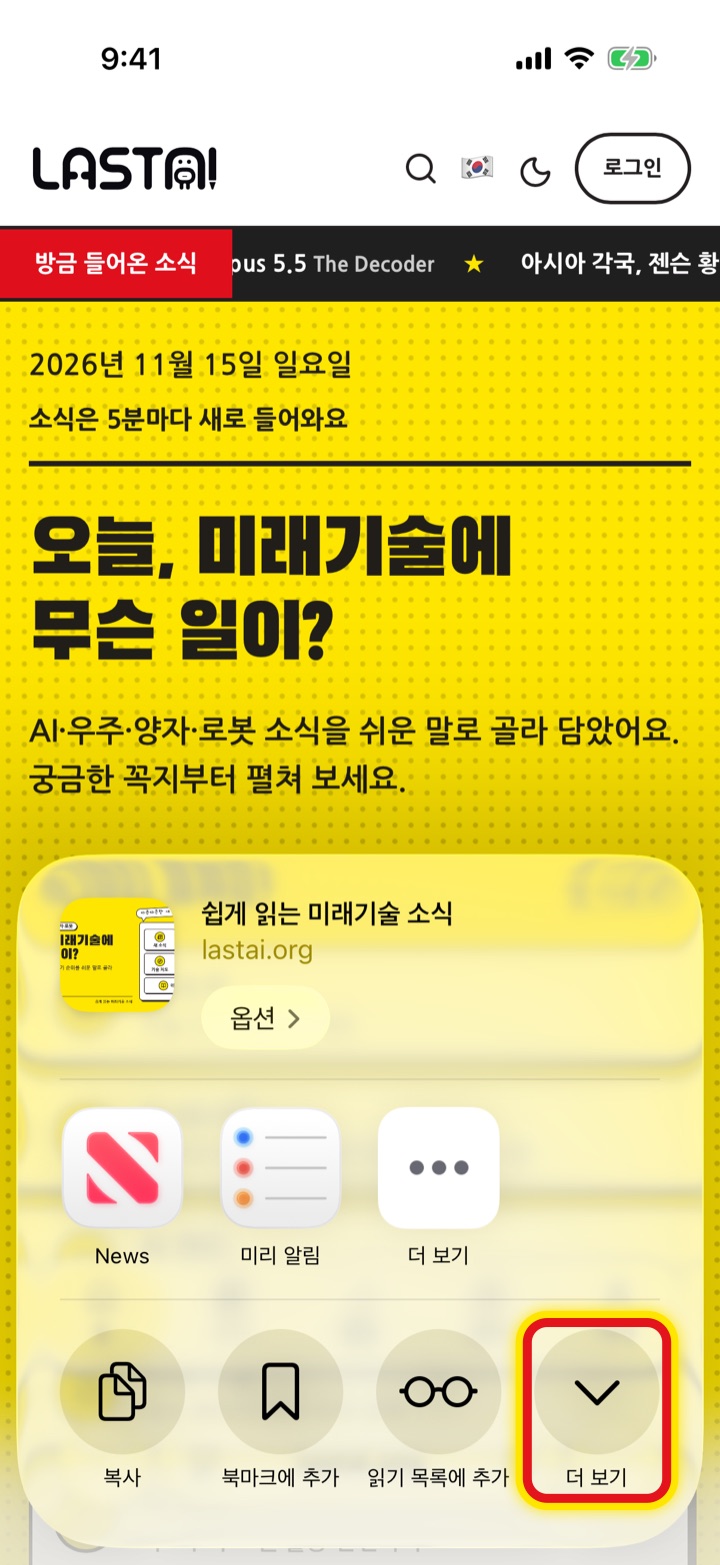
3Tap the round 'More' to expand
The share sheet opens halfway. Tap the round More (∨) button at the end of the 'Copy · Add Bookmark · Add to Reading List' row, or swipe the sheet up. It is a different button from 'More' (•••) in the row of apps above.
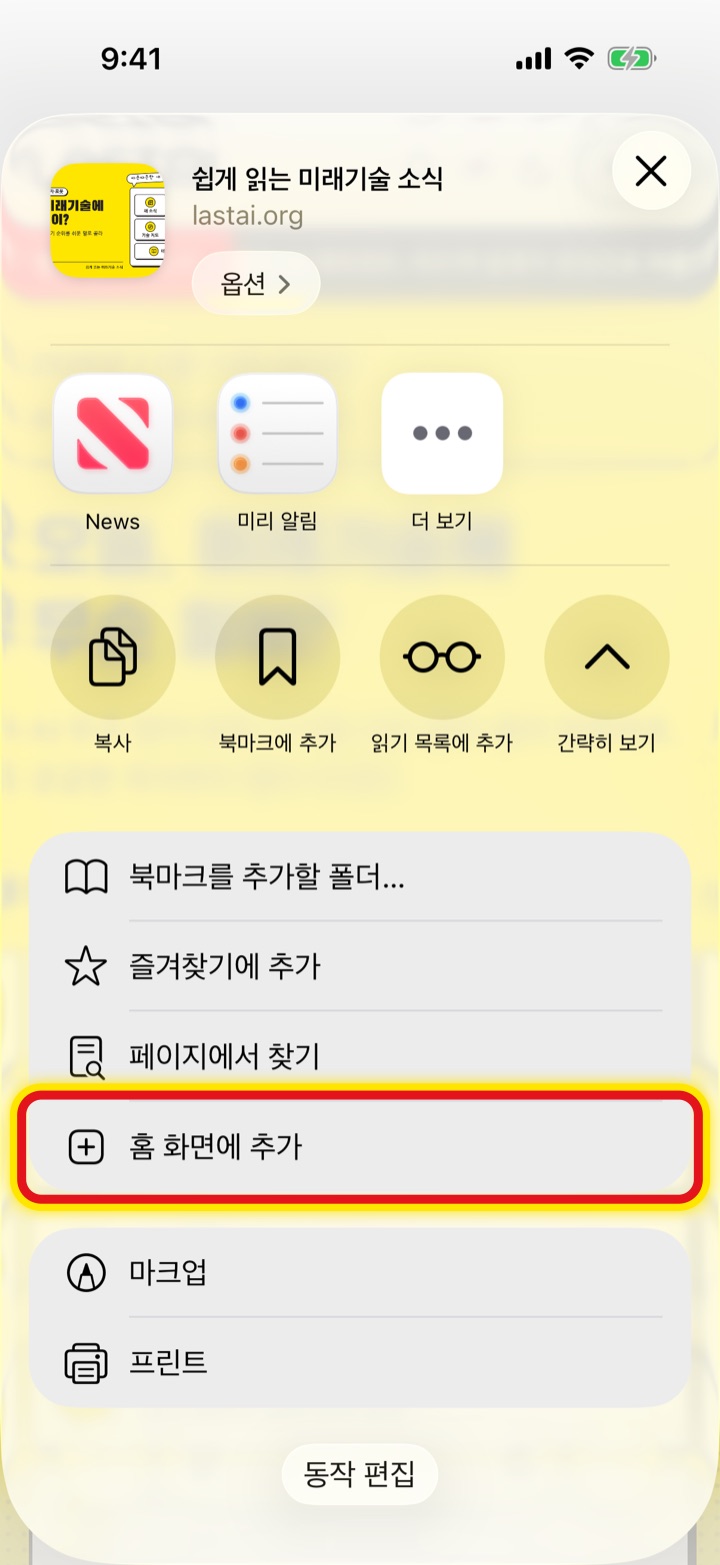
4Tap 'Add to Home Screen'
Tap Add to Home Screen in the expanded list.
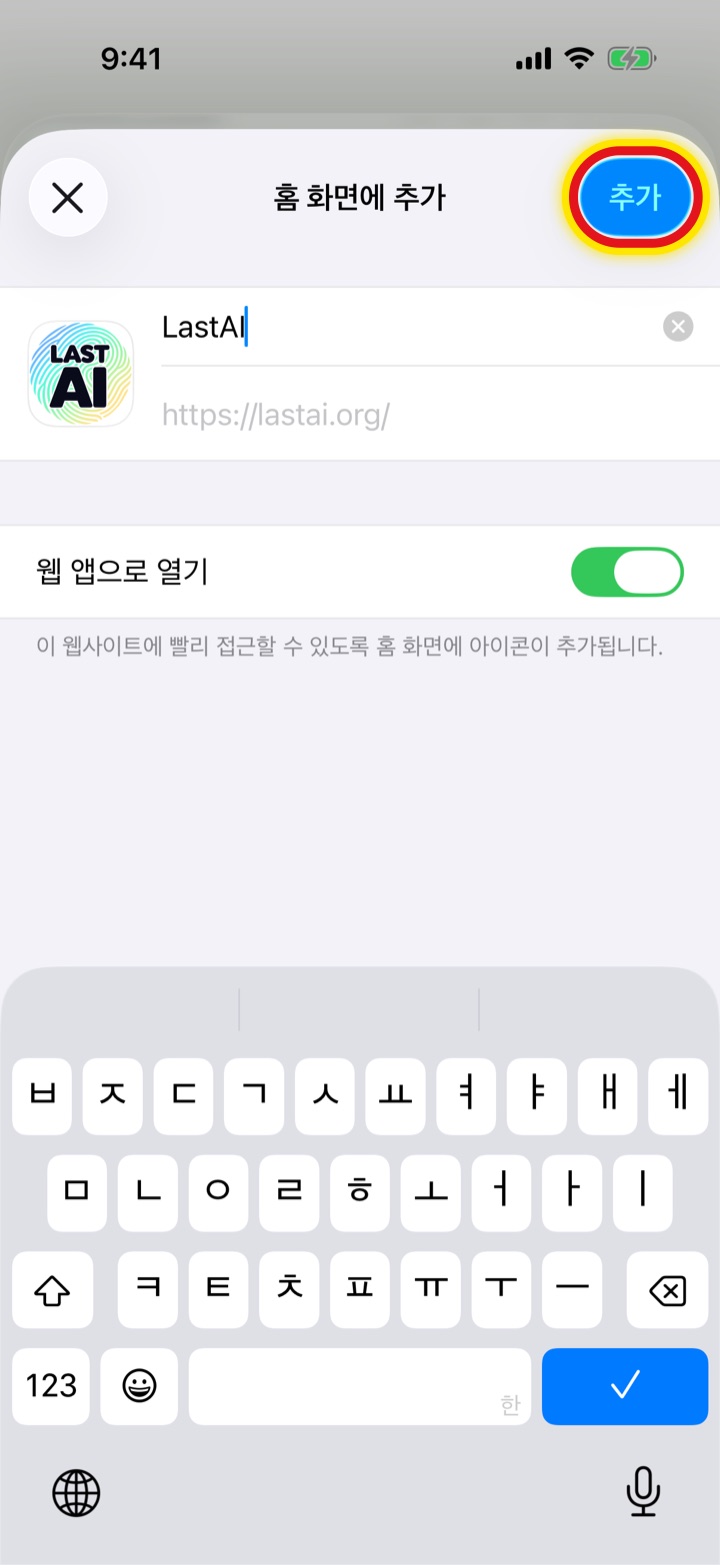
5Check 'Open as Web App' and tap 'Add'
Check the name, make sure Open as Web App is on (it is on by default), then tap Add at the top right.
6An icon appears on your home screen
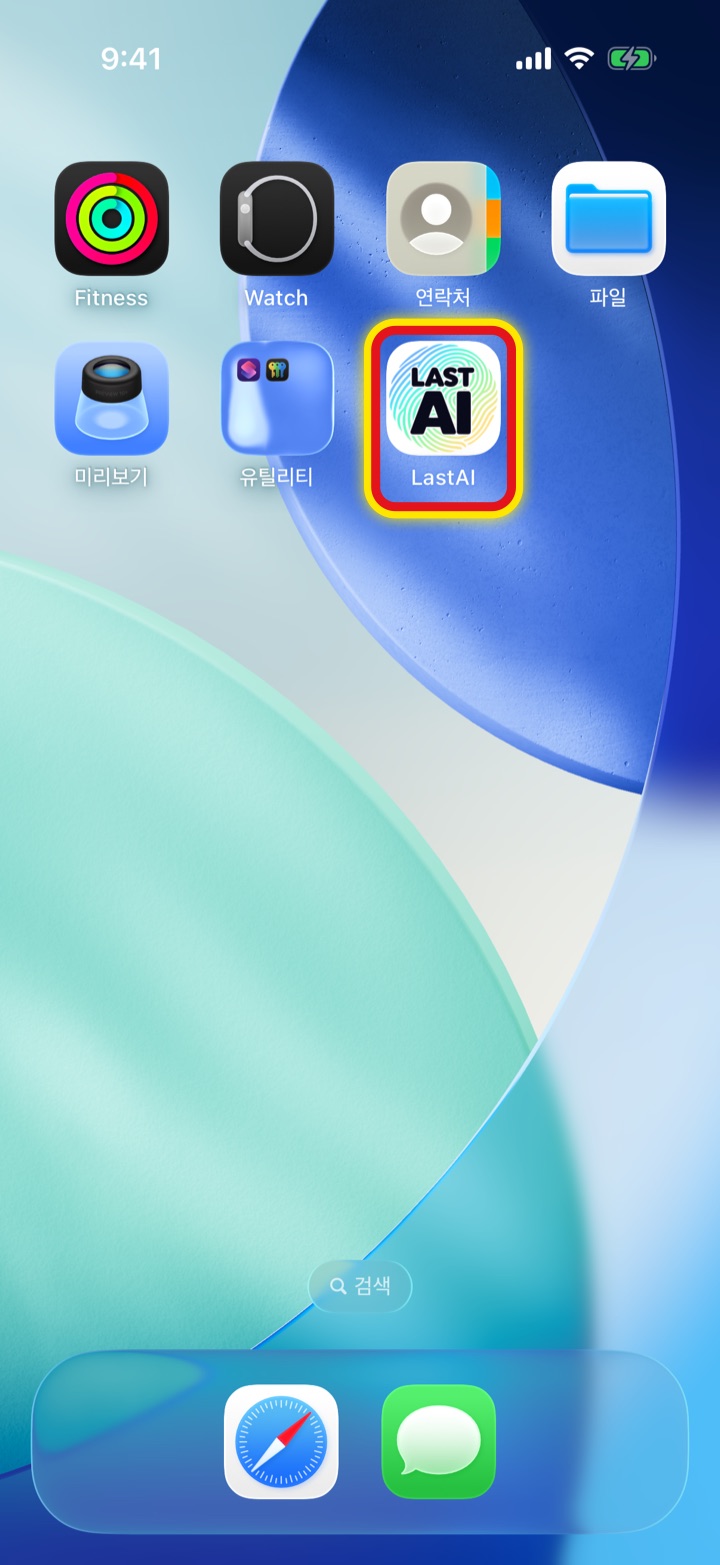
The icon appears in an empty spot on your home screen, or on the next page if the first is full.
7Tap the icon to open it like an app
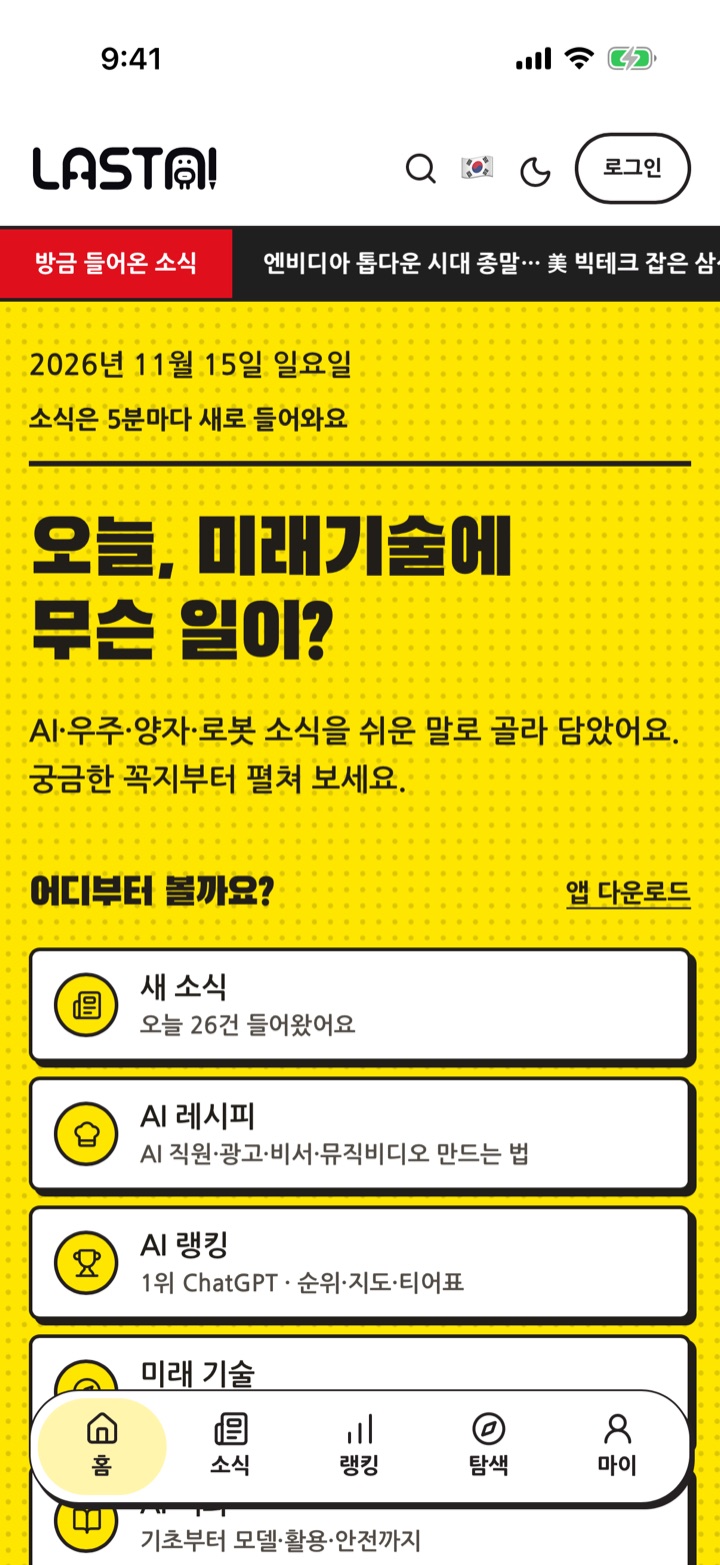
It opens like an app, without the address bar. To remove it, press and hold the icon and tap Delete Bookmark.
ប្រសិនបើវាមិនដំណើរការ
- If 'Add to Home Screen' is missing from the list, add it with Edit Actions at the bottom.
- If you changed Safari's layout, the ••• or Share button (a square with an arrow) may be at the top.
- If you opened the page inside another app (such as KakaoTalk or Telegram), choose 'Open in Safari' first.
- For a web app opened from the home screen to send notifications, allow notifications inside that app.