
Testing the Open-Source cua-driver: Five GUI Scenarios, Where They Failed, and Workarounds
Source 요즘IT
At a glance
We ran cua-driver, an open-source tool for computer control, on a MacBook connected to an AI agent. We ran five GUI scenarios directly. Several of them got stuck, and we found other routes to get results.
Key points
We tested the computer use feature, where the agent directly operates the screen.
In one scenario, the screen capture tool was denied, so we got the screen state through a different tool.
A text editor window would not open, so we switched to the foreground execution method.
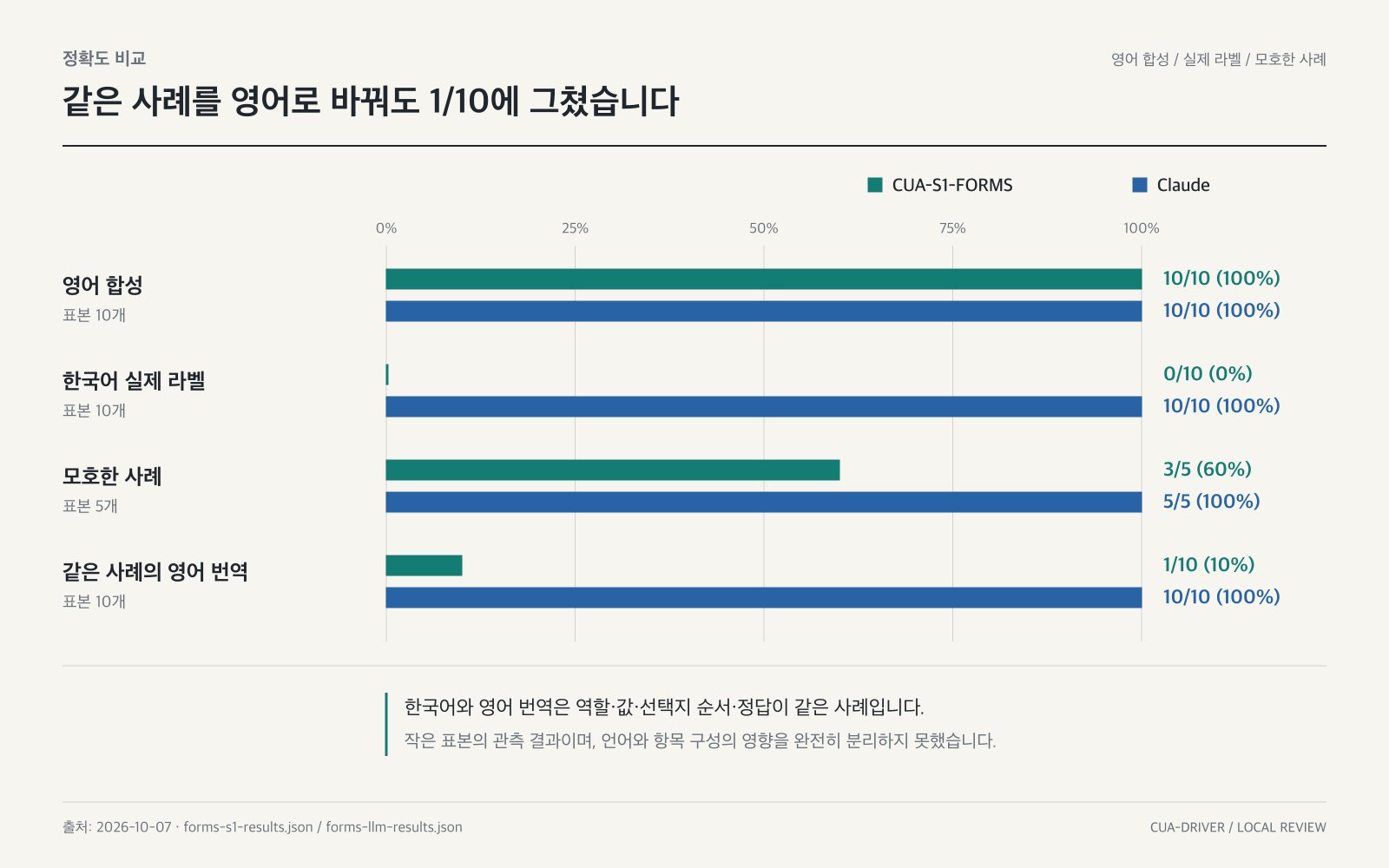
Korean text input came out garbled, unlike what was requested, but interference from the user's own screen activity is now more likely to be the cause.
Why it matters
Knowing where and how AI computer-control technology actually fails helps you spot the risks in advance when using tools like this at work.
Original article
오픈소스 컴퓨터 유즈 cua-driver 써보니: GUI 시나리오 5개 막힌 곳과 우회법
요즘IT · Nov 5, 2026, 9:00 AM GMT+9 · yozm.wishket.com
Read on 요즘ITAI read the original article and summarized it in plain language. It may contain mistakes, so please check the original for accuracy. The article's copyright belongs to 요즘IT.