រំលងទៅមាតិកា

PuKae

ការបកប្រែផ្ទាល់មាត់ទល់មុខគ្នាជាភាសាកូរ៉េ ខ្មែរ និងអង់គ្លេសនៅលើទូរសព្ទតែមួយ

Made by SantiagoChecked by an admin on November 15, 2026

AndroidiPhone

កម្មវិធីបកប្រែផ្ទាល់នៅលើទូរសព្ទរបស់អ្នក ឥតគិតថ្លៃជារៀងរហូត

អេក្រង់កម្មវិធីពិត (បង្ហាញជាភាសាកូរ៉េ)។ អូសទៅចំហៀង ចុចដើម្បីពង្រីក។

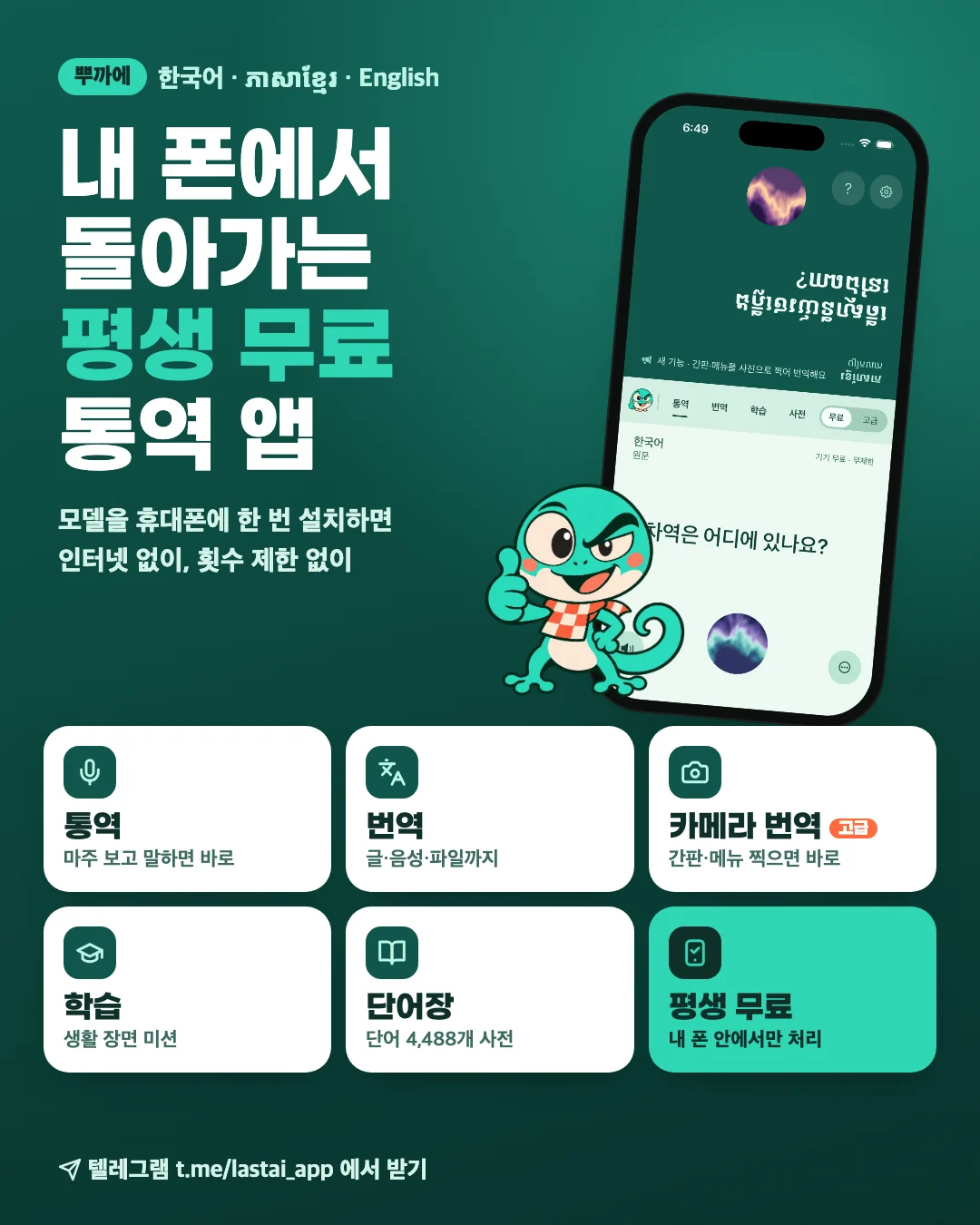
  • An interpreting app that runs on your own phone, free for good. Install the model once and use it without internet and without limits. Interpret, Translate, Camera translate (Advanced), Learn, Word list.
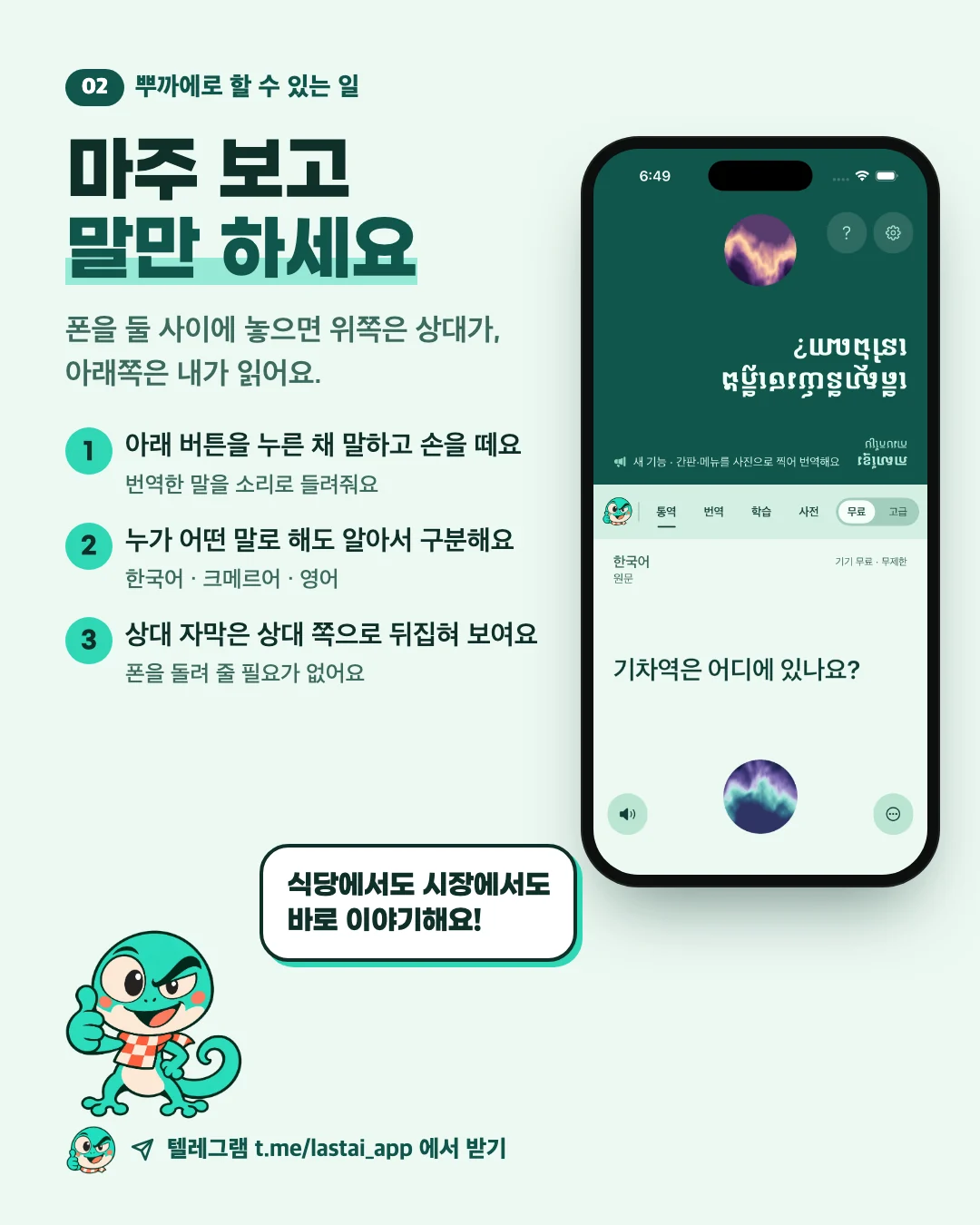
  • Just face each other and talk. Hold the button, speak and let go: PuKae says it in the other person's language, and their captions flip to face them.
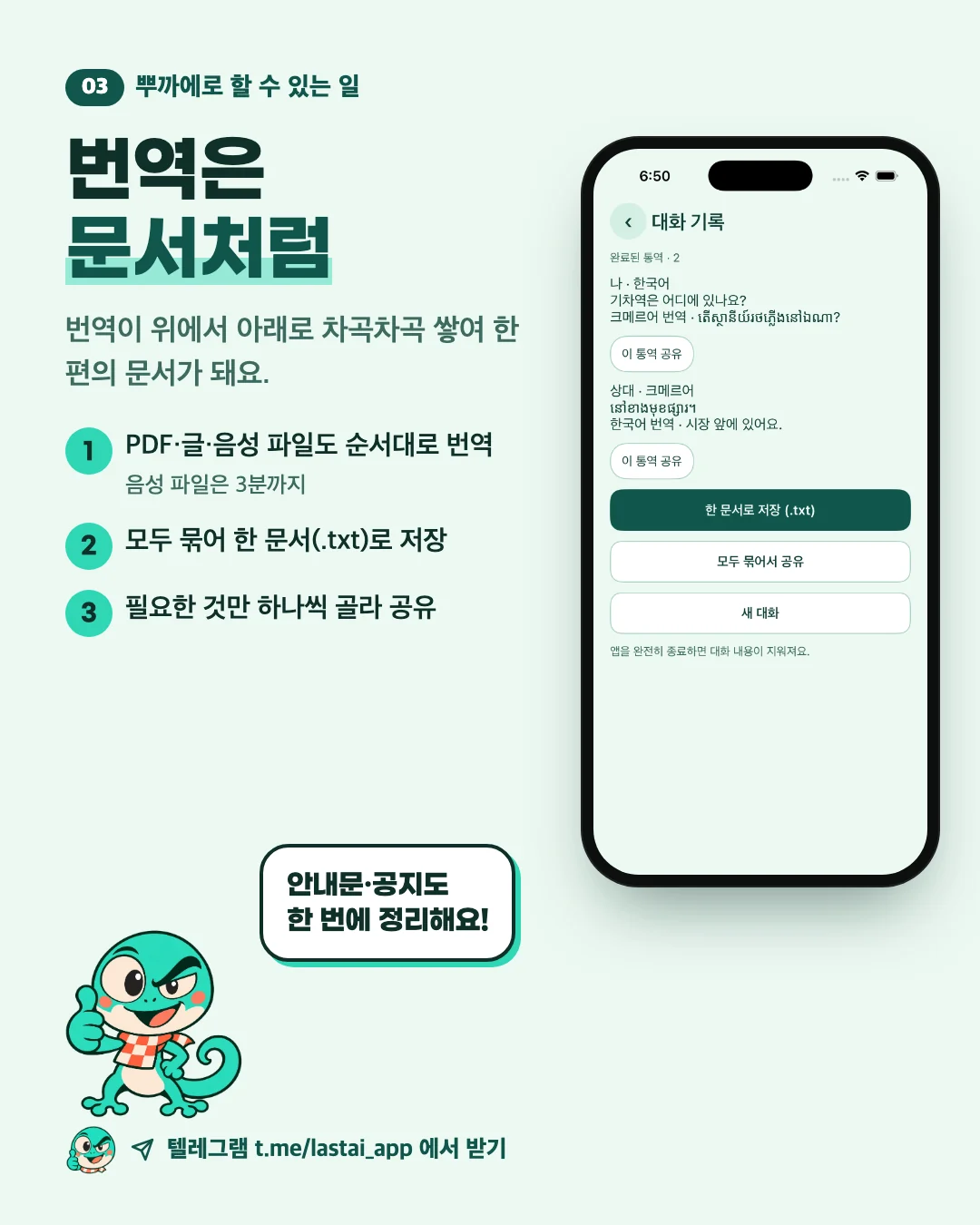
  • Translations read like a document. PDFs, text and audio files are translated in order, then saved as one document or shared one by one.
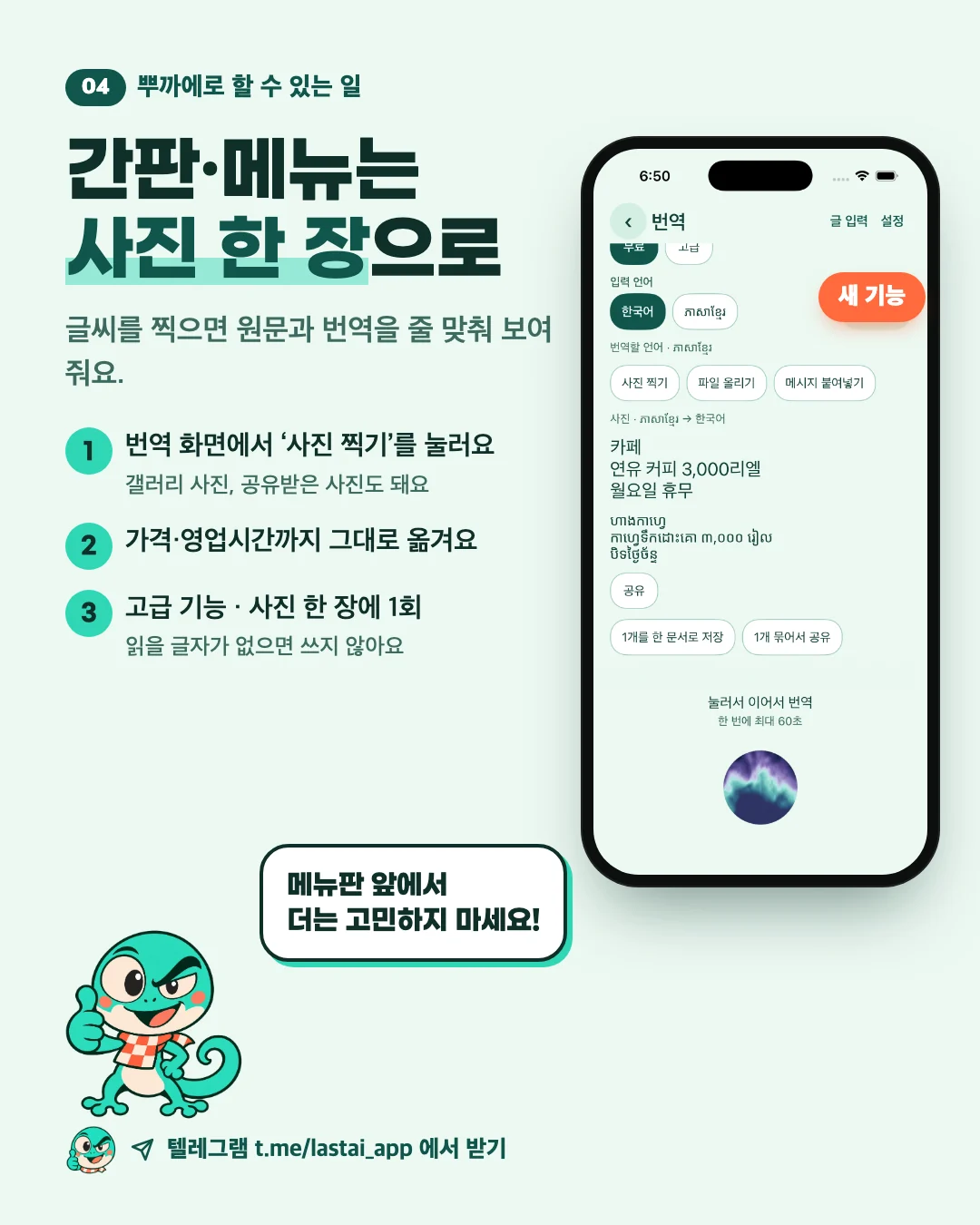
  • Signs and menus with one photo. Snap the text and see the original and the translation line by line. An Advanced feature, one use per photo.
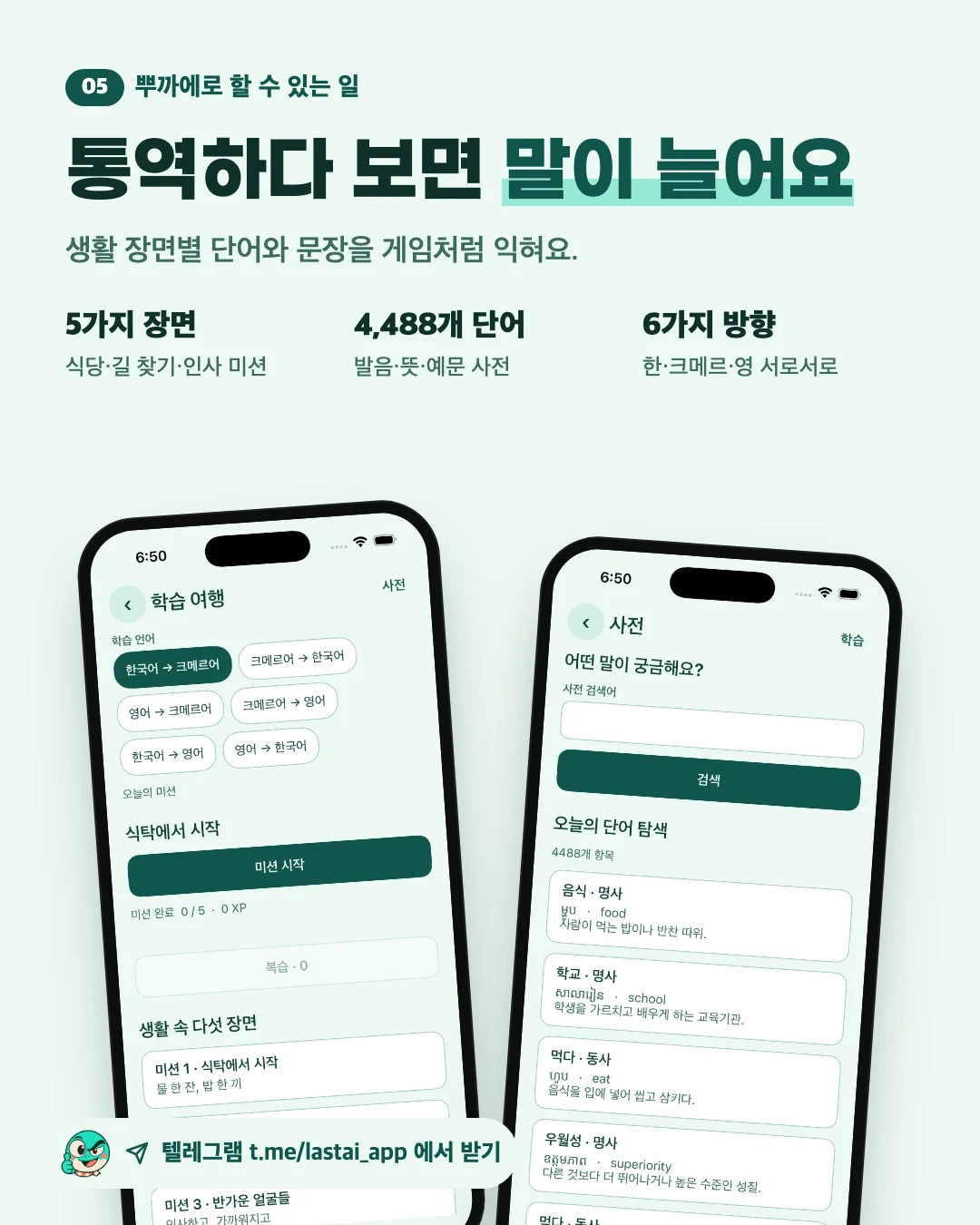
  • Interpreting builds your language. Five everyday missions, a 4,488-word dictionary, six directions across Korean, Khmer and English.
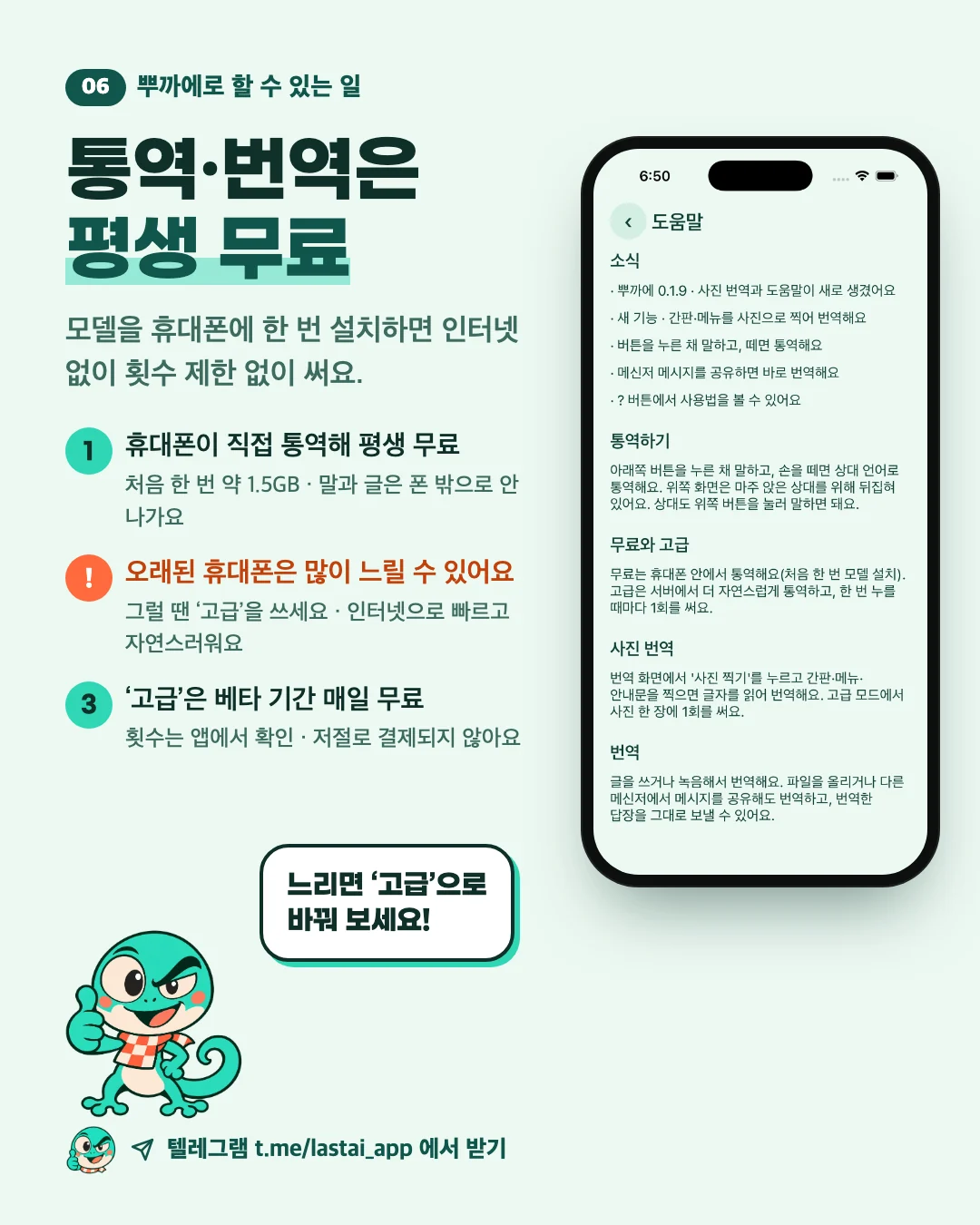
  • Interpreting and translation are free for good. The model runs on your phone, but older phones can be slow; then use the faster Advanced mode. During the beta, Advanced is free every day (the app shows how many turns) and never charges you automatically.
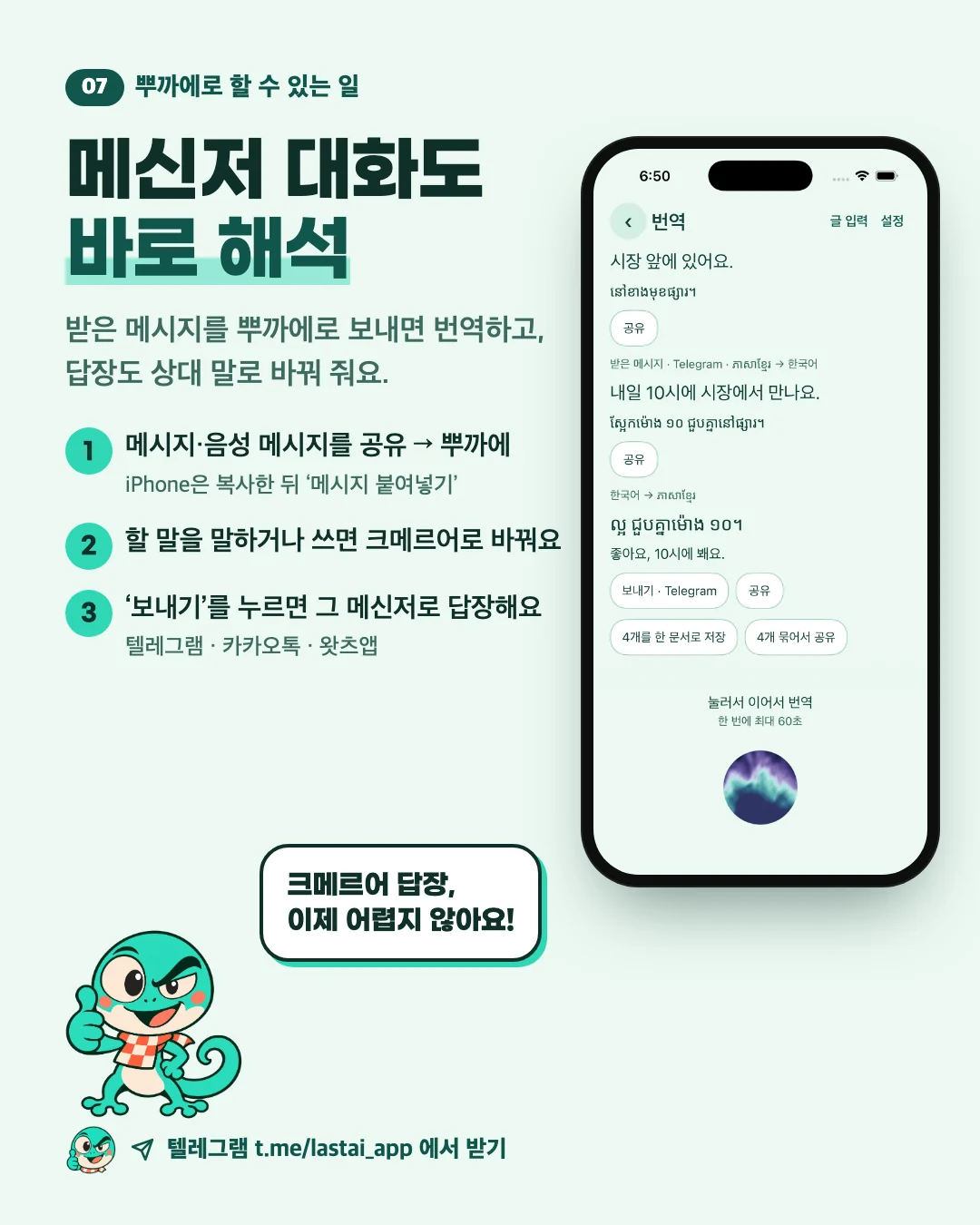
  • Understand messenger chats. Share a message or voice message to PuKae to translate it, then turn your reply into Khmer and send it back in that messenger.
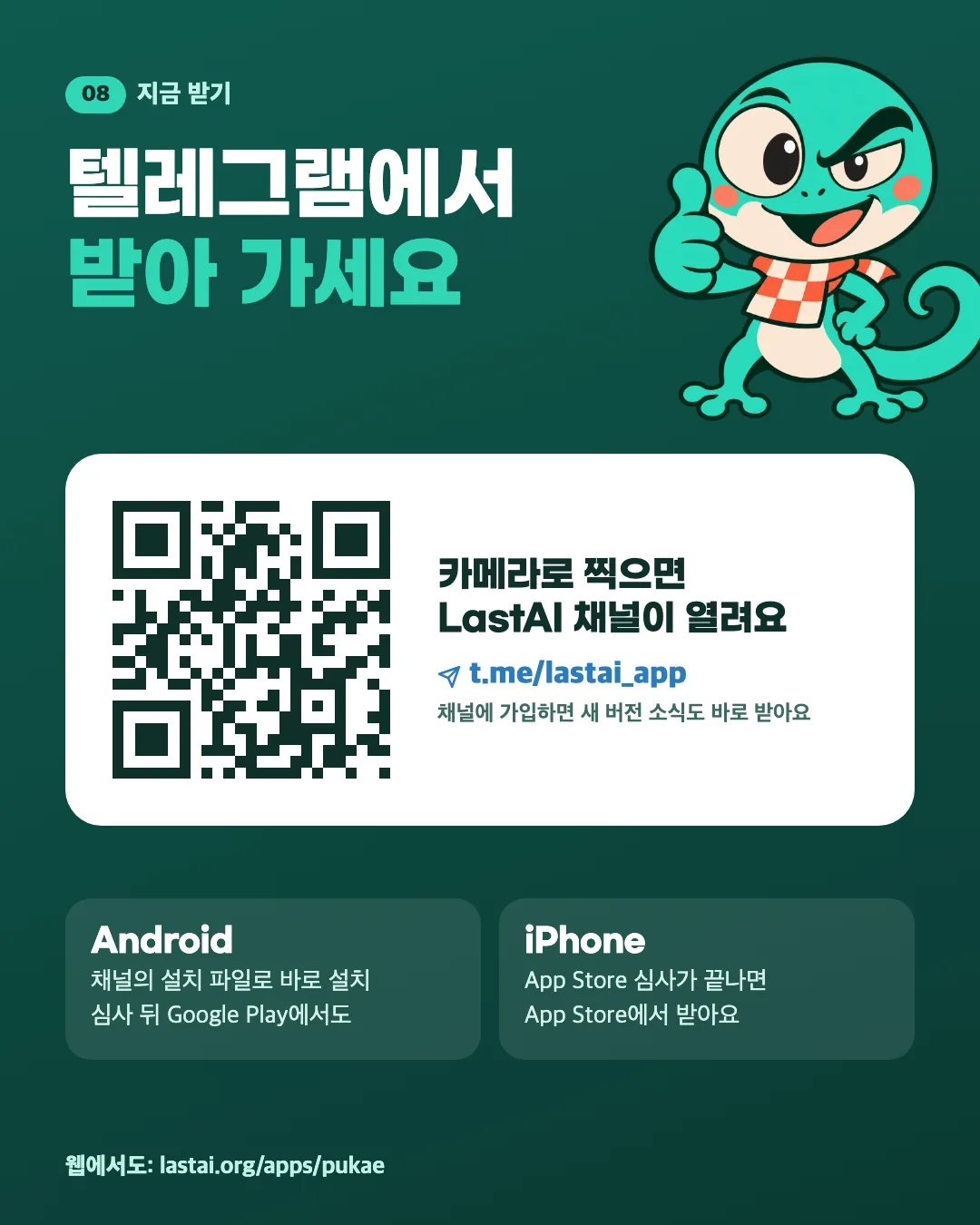
  • Get it on Telegram. Join the LastAI channel t.me/lastai_app to download the Android installer and hear about new versions first. Once the reviews are done, you can also get it from Google Play on Android and the App Store on iPhone.

✈️ ចូលរួមឆានែល Telegram របស់ LastAI ↗ យកកម្មវិធីដំឡើងនៅទីនោះ និងទទួលបានព័ត៌មានអំពីកំណែថ្មីៗមុនគេ។

Interpreting and translation are free for good

PuKae interprets and translates with a free model installed on your phone. No limits, and it keeps working without internet.

  • You download the free model only once (about 1.5GB; Wi-Fi recommended).
  • What you say and type is processed on your phone.

⚠️ Important · Free interpreting can be slow on older phones

Free mode installs the model on your phone and the phone does the work, which is why it is free for good. On older or low-end phones one turn can take a while. If it feels slow, switch to Advanced: it interprets faster and more naturally over the internet.

Some advanced features, such as Advanced interpreting over the internet, can use credits (turns). During the beta test (until Dec 31), each phone gets 10 free turns every day, and turns you do not use do not carry over to the next day. Running out never charges you automatically: the app tells you and you carry on in free mode.

ដំឡើង

ទូរសព្ទ Android

កំណែ 0.1.26 · 129.6MB · Android 9 or later · 1 ទាញយក

Download APK (129.6MB)

APK គឺជាឯកសារដែលដំឡើងកម្មវិធីលើទូរសព្ទ Android។ ទាញយកវា បន្ទាប់មកចុចលើឯកសារដើម្បីដំឡើង។

ការអនុញ្ញាតដែលកម្មវិធីនេះស្នើសុំ

  • Microphone (hearing sound)
  • Internet access
  • Keep running with a notification
  • Keep running while sending or receiving data
  • Send notifications

Signed with a test key. The next version, signed with the release key, may not install over this one. If so, uninstall this app and install the new one.

ពិនិត្យមើលថាឯកសារដែលអ្នកបានទាញយកគឺពិតប្រាកដ

ជ្រើសរើសឯកសារដែលបានទាញយកខាងក្រោម។ ឧបករណ៍នេះគណនាស្នាមម្រាមដៃរបស់វា (SHA-256) ហើយប្រៀបធៀបវាជាមួយស្នាមម្រាមដៃនៅលើទំព័រនេះ។ ឯកសារមិនត្រូវបានបញ្ជូនទៅណាទេ។

បង្ហាញស្នាមម្រាមដៃរបស់ឯកសារនេះ

7b3d c61e 0e51 4a63 f516 ab5e 38d3 6eb1 06e3 5f5d d97f 4076 6689 e8a6 8901 f00e

ហត្ថលេខារបស់អ្នកបង្កើត (ស្នាមម្រាមដៃវិញ្ញាបនបត្រ)

5EDA 7A60 15B8 F856 4171 CC0B C1FB 2F8F D0C8 5C49 E7CE 69B3 D17C 27B6 25CD 194F

កំណែបន្ទាប់របស់កម្មវិធីនេះត្រូវតែមានហត្ថលេខាដូចគ្នាដើម្បីដំឡើងជាន់ពីលើវា។

លើកទីមួយមែនទេ? ធ្វើតាមអេក្រង់ពិត ↓

របៀបដំឡើងដោយសុវត្ថិភាពលើ Android →

កំណែមុនៗ

លើកទីមួយមែនទេ? ដំឡើងវាដោយធ្វើតាមរូបភាព

តើ APK ជាអ្វី?

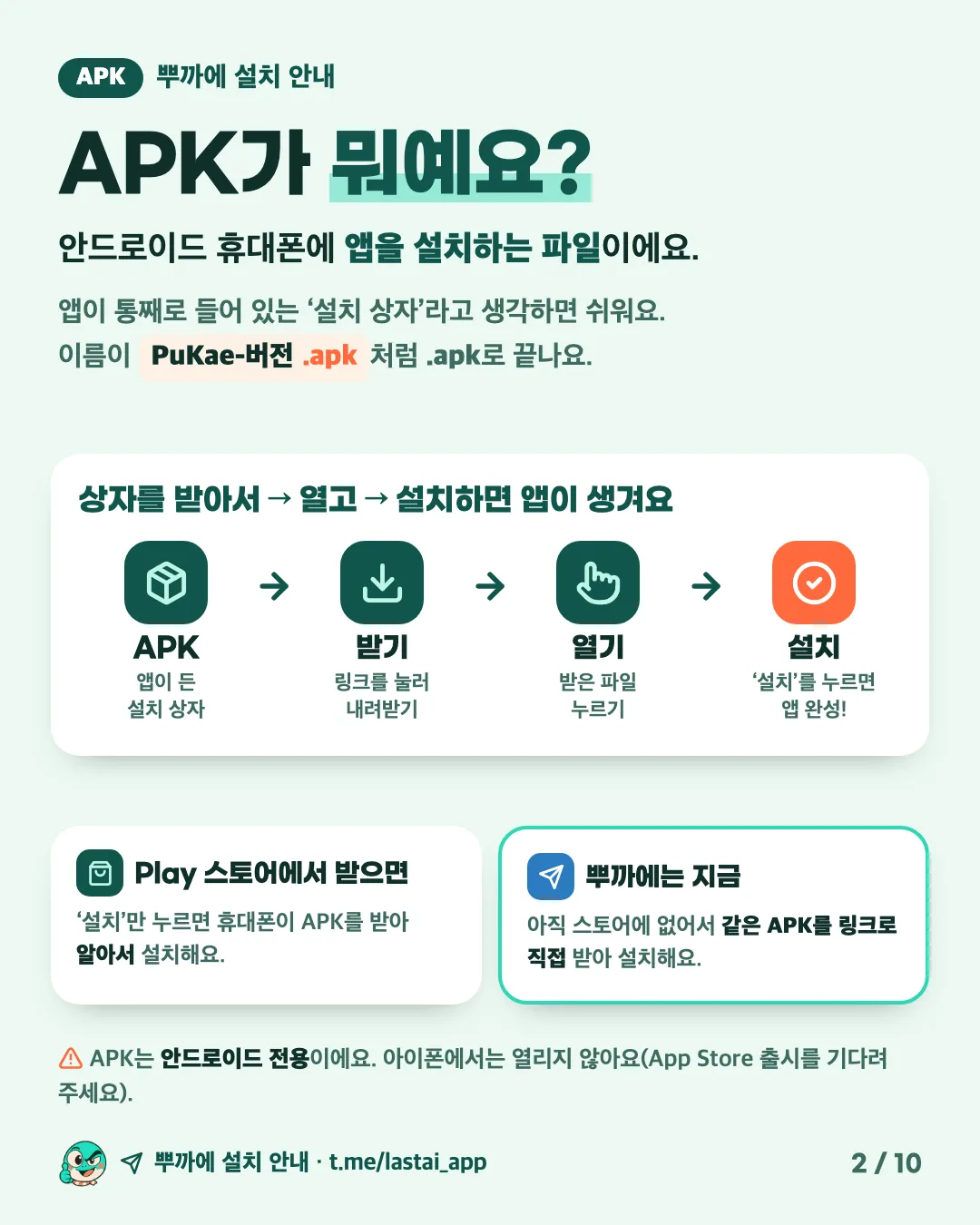
វាគឺជាឯកសារដែលដំឡើងកម្មវិធីនៅលើទូរសព្ទ Android។ សូម្បីតែពេលអ្នកចុច 'Install' នៅក្នុង Play Store ក៏ទូរសព្ទរបស់អ្នកទាញយកឯកសារនេះ និងដំឡើងវាសម្រាប់អ្នកដែរ។ នៅលើ Android សូមប្រើប៊ូតុង Download APK ដើម្បីដំឡើង PuKae។

  1. ① ទាញយក: tap 'Download APK' below, or the latest-version link in the Telegram channel.
  2. ② បើក: when it finishes, tap 'Open' (or tap the file in Files, under Downloads).
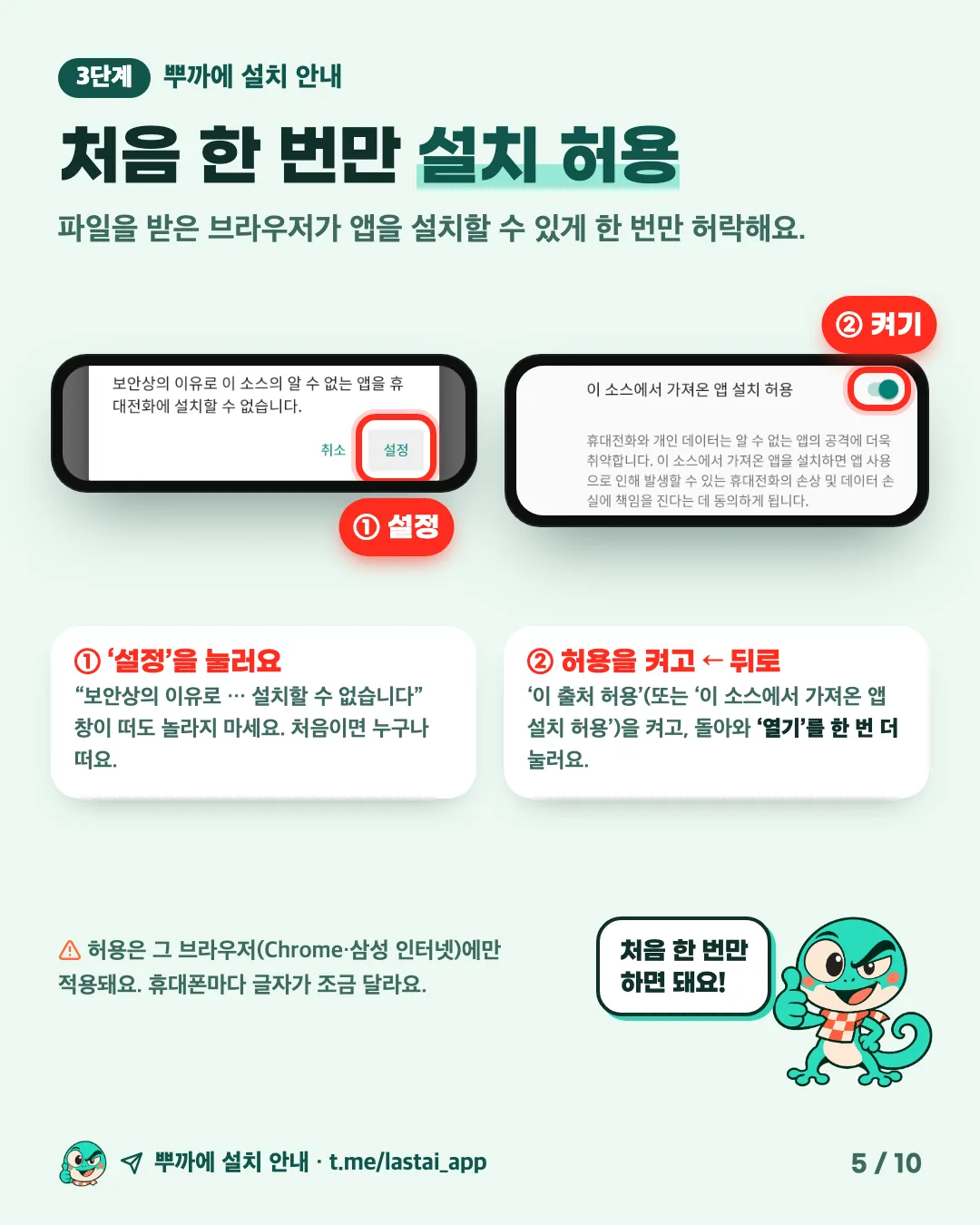
  3. ③ Allow: the first time, tap 'Settings' and turn on the switch that allows installs from this source.
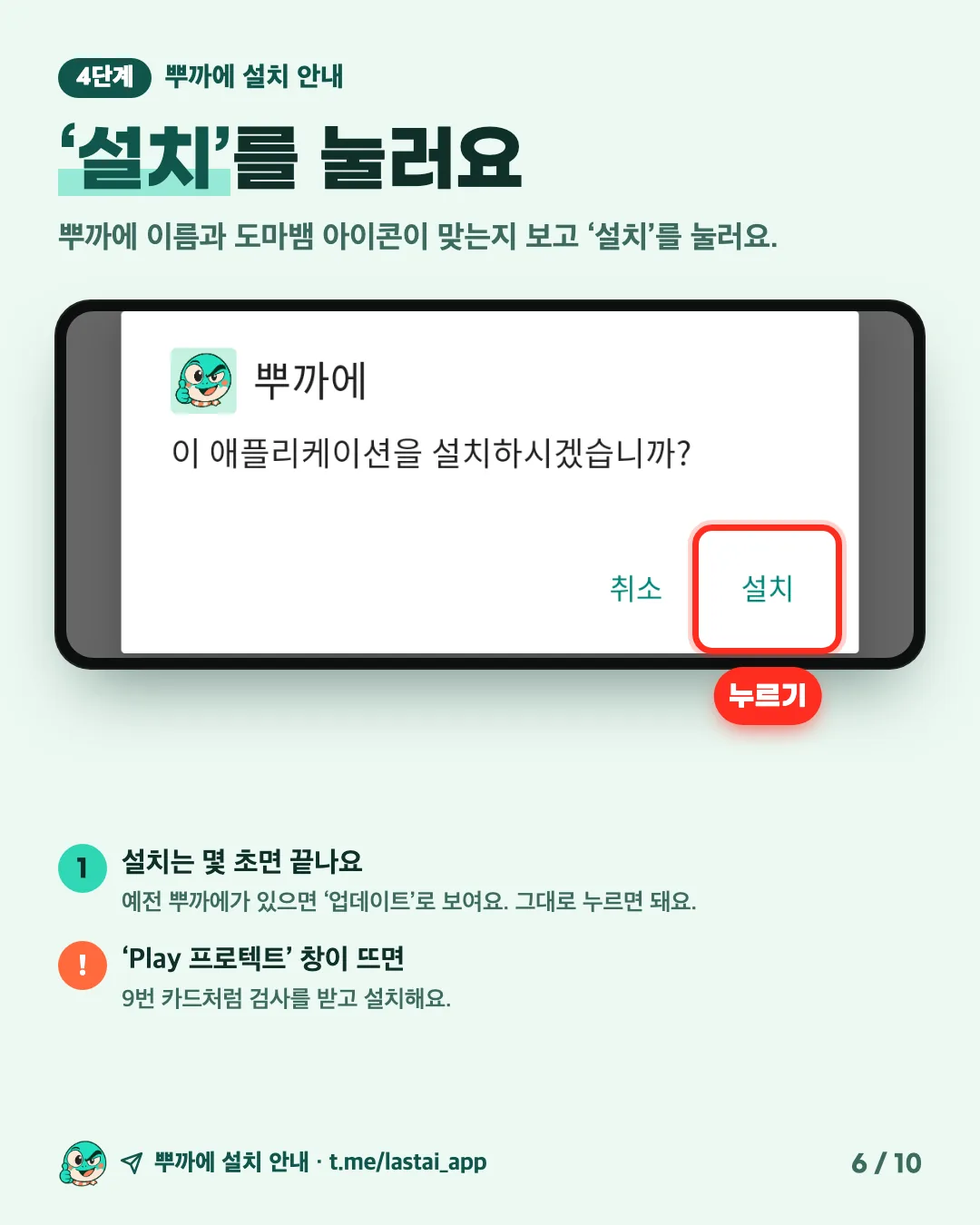
  4. ④ ដំឡើង: tap 'Install', then 'Open'. That's it.

ការទាញយកជាមួយតំណរបស់ឆានែល Telegram និងការដំឡើង (បង្ហាញជាភាសាកូរ៉េ)។ អូសទៅចំហៀង ចុចដើម្បីពង្រីក។ 'Download APK' នៅលើទំព័រនេះដំណើរការដូចគ្នា។

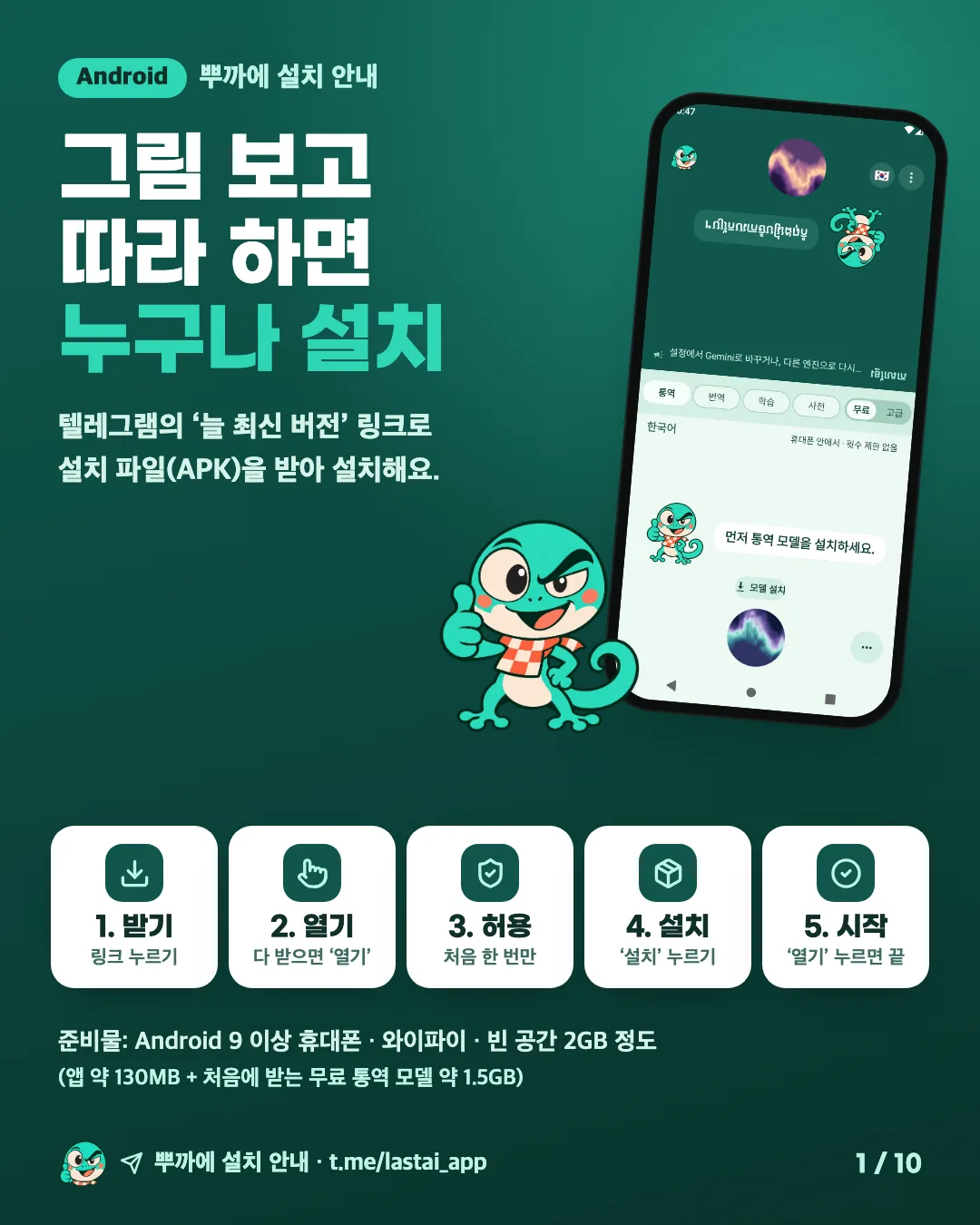
  • PuKae install guide. Follow the pictures and anyone can install it. Five steps to download the installer (APK) with the always-latest link in Telegram and install it: download (tap the link), open (tap 'Open' when it finishes), allow (first time only), install, start. You need an Android 9 or later phone, Wi-Fi and about 2GB of free space.
  • What is an APK? It is the file that installs an app on an Android phone, like a box with the whole app inside. Download it, open it, install it, and the app appears. The Play Store does this for you; PuKae is not in the stores yet, so you download the same file yourself from a link. It does not open on an iPhone.
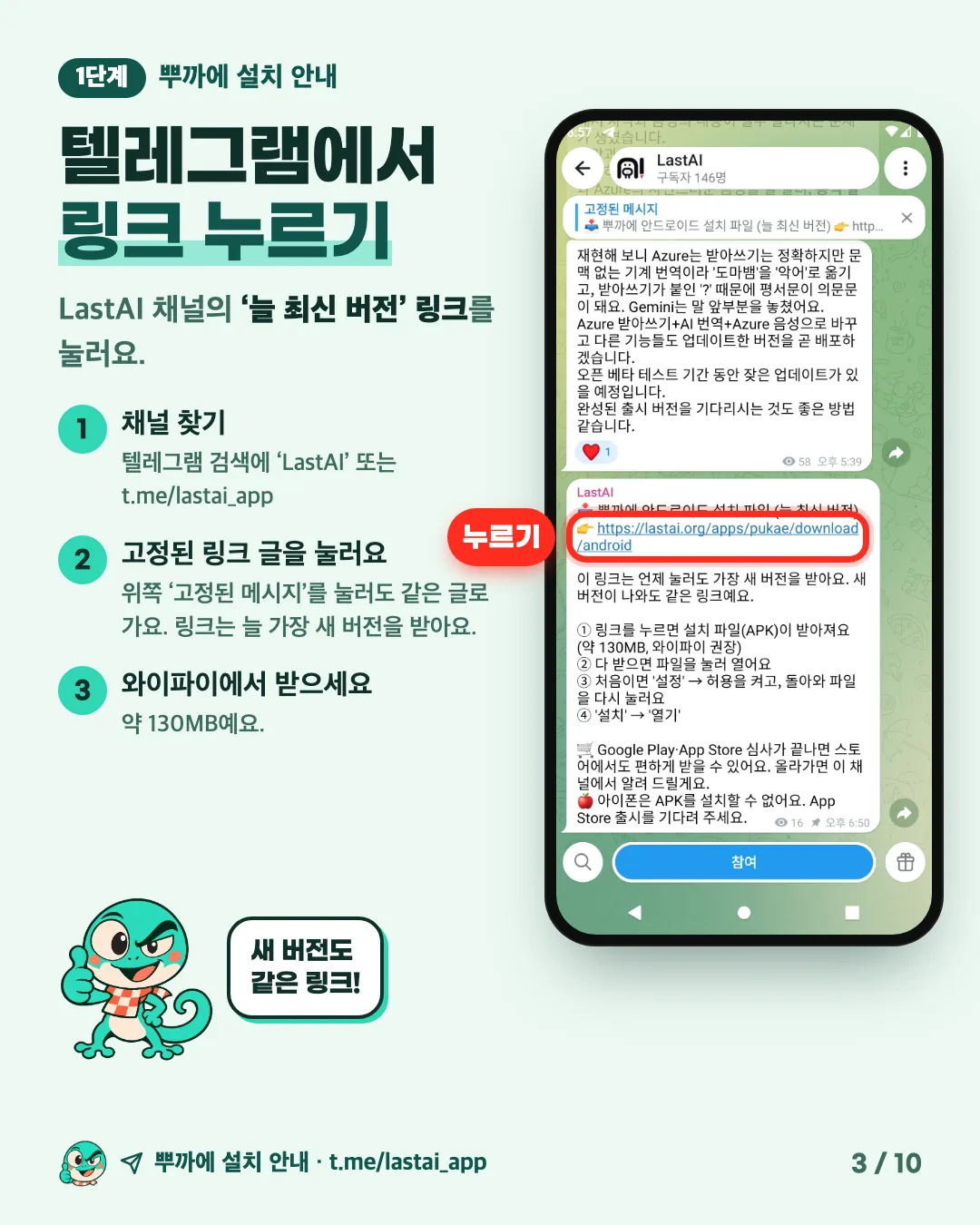
  • Step 1, real screen: in the LastAI Telegram channel, tap the link in the pinned post 'PuKae Android installer (always the latest version)'. The link always downloads the newest version. It is about 130MB, so use Wi-Fi.
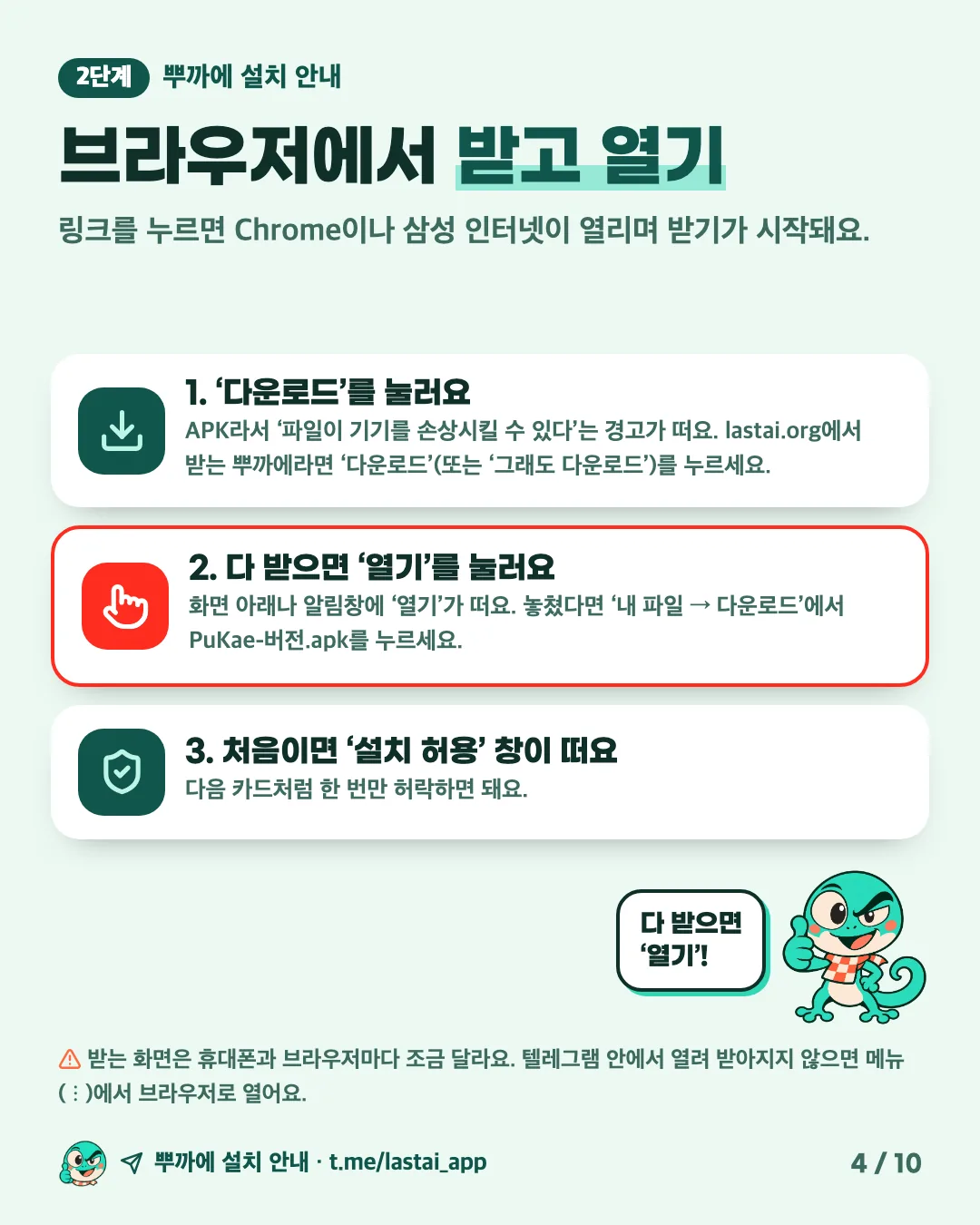
  • Step 2: the link opens Chrome or Samsung Internet and the download starts. If it warns that this type of file can harm your device, tap 'Download'; when it finishes, tap 'Open'. If you missed it, tap PuKae-version.apk in Files, under Downloads. The first time, an install-permission window appears.
  • Step 3, real screens: the first time, a window says that for your security the phone cannot install unknown apps from this source. Tap 'Settings', turn on 'Allow from this source' for the browser that downloaded the file, then go back and tap 'Open' once more.
  • Step 4, real screen: check the PuKae name and icon, then tap 'Install'.
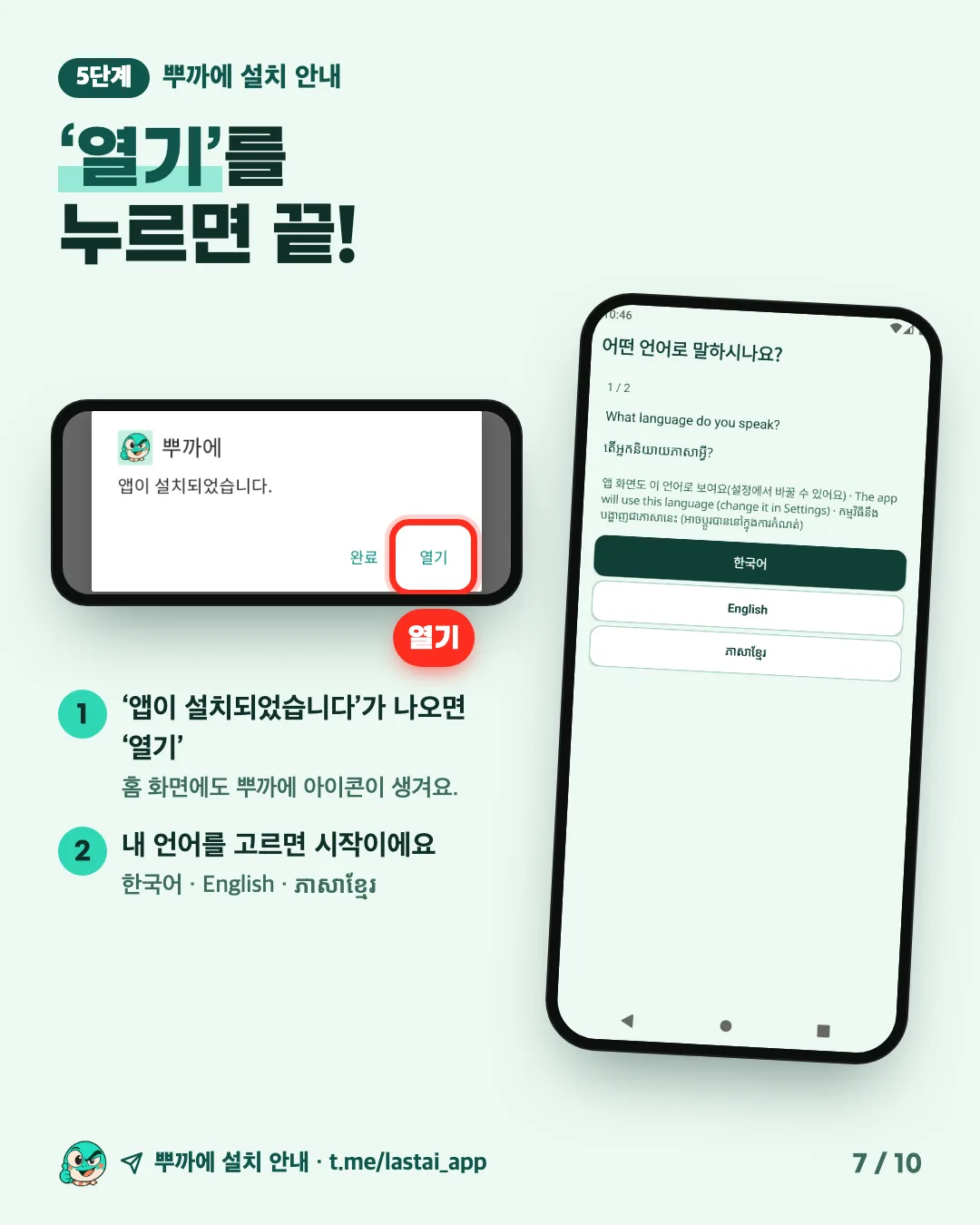
  • Step 5, real screen: when it says the app was installed, tap 'Open'. PuKae starts right away.
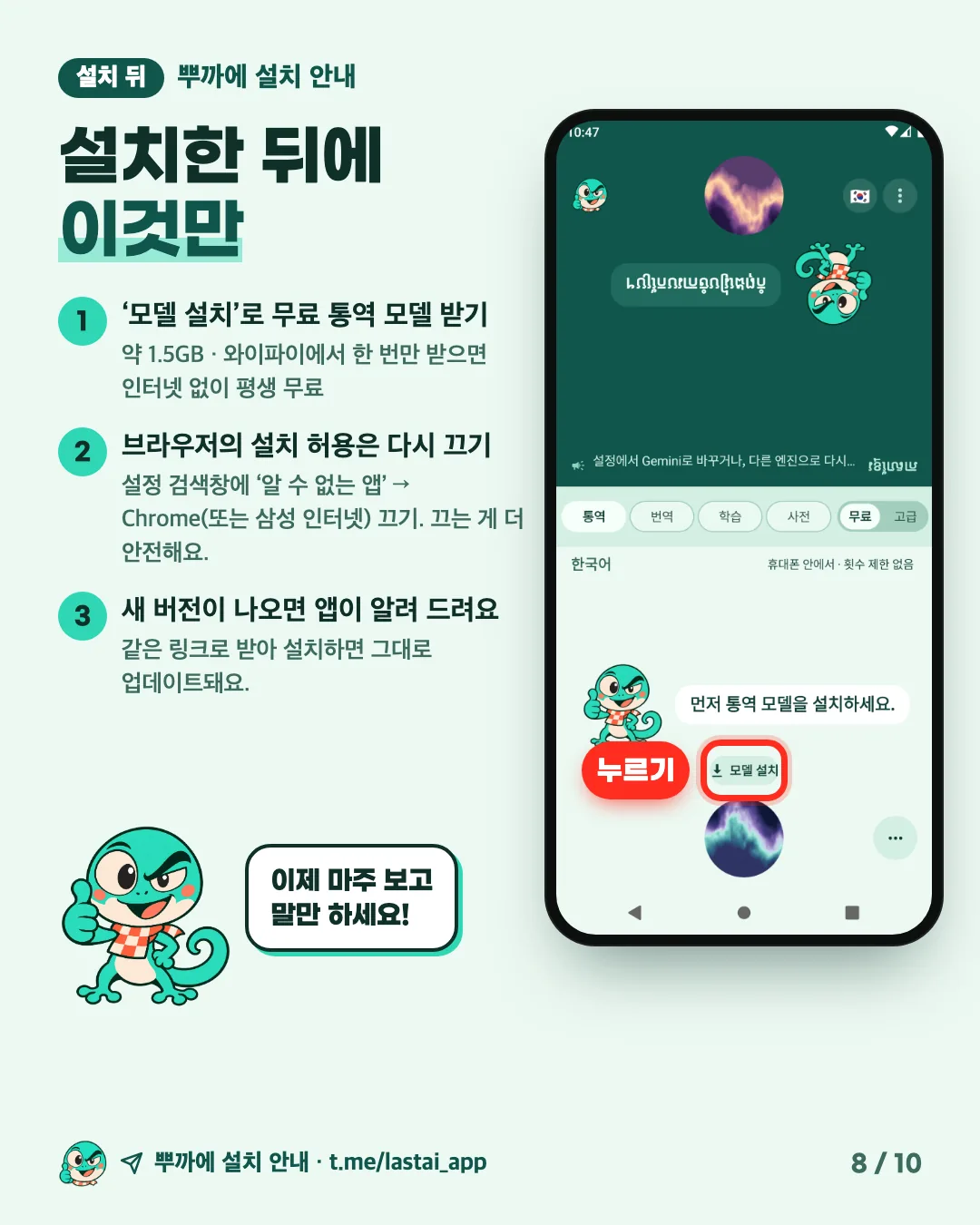
  • After installing: download the free interpreting model (about 1.5GB) once on Wi-Fi with 'Install model'. Turning the browser's install permission off again is safer (search Settings for 'unknown apps'). The app tells you when a new version is out; download it from the same link and install it to update.
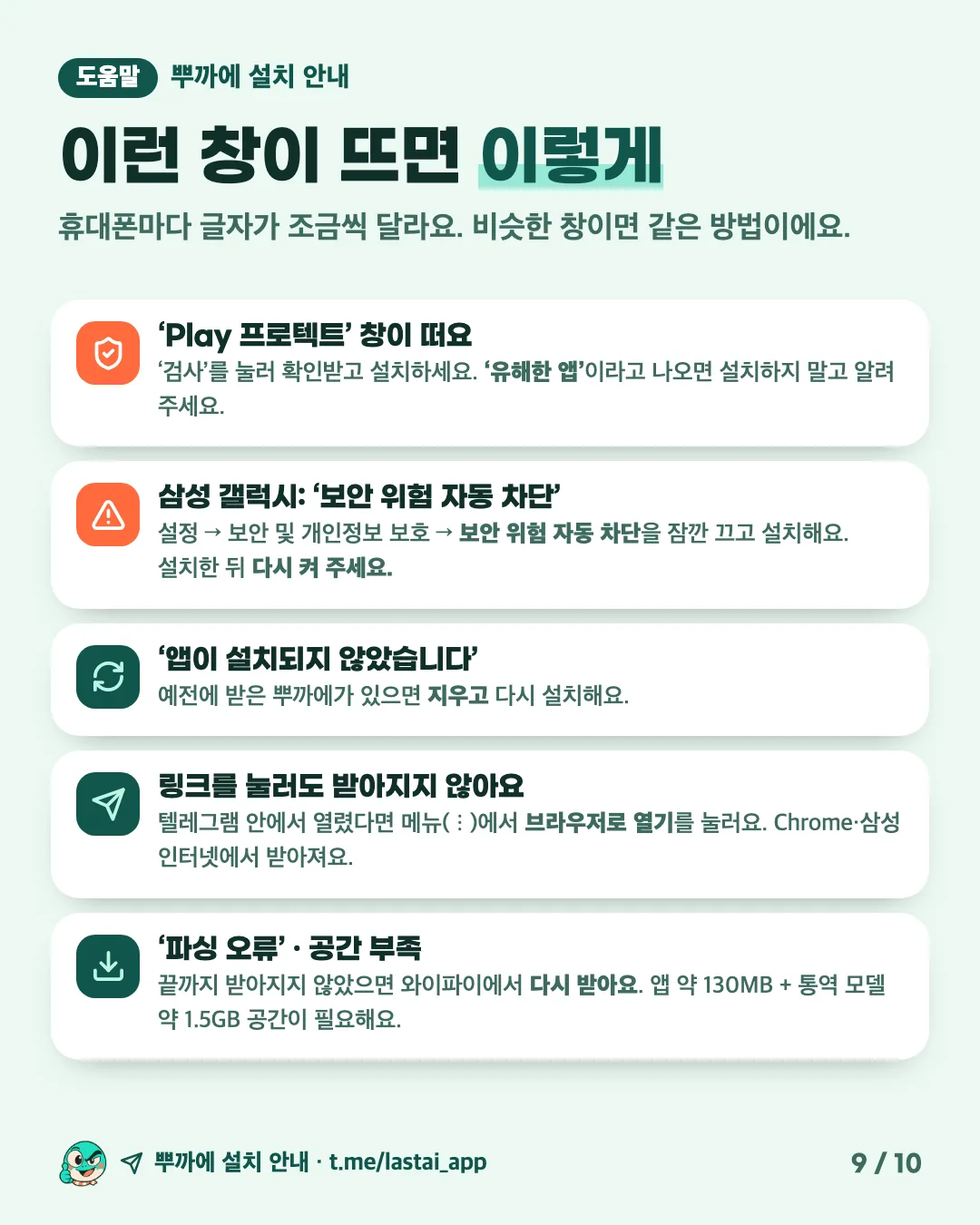
  • If you see these: for Play Protect, let it scan and then install. Samsung's Auto Blocker: turn it off briefly, install, then turn it back on. 'App not installed': uninstall the old PuKae and install again. If the link does not download, open it in a browser from the ⋮ menu; for a 'parse error' or low storage, download it again on Wi-Fi.

នៅលើ iPhone សូមប្រើប៊ូតុង App Store ខាងលើដើម្បីទាញយក PuKae។

របៀបប្រើប្រាស់ PuKae

Interpret face to face

Put the phone between the two of you. The top half is flipped so the person across can read it; the bottom half is yours. Hold the round button at the bottom, speak and let go: PuKae works out whether you spoke Korean, Khmer or English and reads it aloud in the other person's language. They press the same button to answer.

Translate from a photo (new)

On the Translate screen, tap 'Take photo' and snap a sign, menu or notice to see the original and the translation line by line. Gallery photos and photos shared from other apps work too. This Advanced feature reads text over the internet, so it uses one try per photo with text, and none if there is no text to read.

Translate files and save as one document

Choose a text (.txt), PDF or audio file with 'Upload file' and it is translated paragraph by paragraph: up to 12,000 characters per text file and 3 minutes of audio. Translations stack up like a chat into one document; save it all as a single .txt with 'Save as one document', or share only what you need. Interpreting history can be saved and shared the same way.

Learn and Dictionary

Learn has five everyday missions, such as restaurants, directions and greetings, to practise words and sentences. The Dictionary holds 4,488 words with pronunciation, meaning and examples. Study between Korean, Khmer and English in any direction.

Read and reply to messenger messages

In a messenger such as Telegram or KakaoTalk, press and hold a message or voice message and choose 'Share → Translate with PuKae' to read it in your language (Android). On iPhone, copy the message and tap 'Paste message' in PuKae. Then say or type your reply, PuKae turns it into their language, and 'Send' replies in that messenger.

Free and Advanced

Free mode interprets and translates with a model installed on your phone. Download about 1.5GB once and it is free for good, without internet and without limits, and your words never leave the phone. Because the phone does the work, older or low-end phones can be slow; then use Advanced. Advanced interprets faster and more naturally over the internet. During the beta test (until Dec 31), each phone gets 10 free turns every day, and turns you do not use do not carry over to the next day. Using them up never charges you automatically.

Screens and help in your language

The whole app switches to the language you pick first (Korean, Khmer or English). Tap ? at the top right of the home screen any time to see what's new and how to use it.

អំពីកម្មវិធីនេះ

Two people sit across from each other with one phone between them and talk. PuKae recognises the language spoken, says it aloud in the other language and shows captions on both sides. It works in three languages: Korean, Khmer (Cambodian) and English. Besides interpreting, it has Translate, Learn and Dictionary menus.

## ចាប់ផ្តើម
- Open the app and choose your language and the other person's language.
- In Settings, tap 'Install selected models' to download the free on-device interpreting model (about 1.5GB). Wi-Fi is recommended.
- Hold the round button at the bottom, speak, and let go to interpret.

## Free and Advanced
- Free: once the model is installed, interpreting runs on your phone without internet, with no limit.
- Advanced: interprets more naturally over the internet. During the beta test, each phone gets a set number of free turns every day, and turns you do not use do not carry over to the next day. Otherwise, link a LastAI account to use the turns in your plan or the ones you top up.

## Permissions this app uses
- Microphone: to hear and interpret what is said.
- Internet: to download the model or use Advanced interpreting.

## គួរដឹង
- This is an Android test version for now (Android 9 or later, 64-bit ARM phones).
- Download PuKae for free on the App Store (iOS 16 or later).
- Interpreting can be wrong. Always double-check important things like money, medicine or contracts.


ប្លង់មេ

នឹងមកដល់ឆាប់ៗនេះ

អ្នកបង្កើតនៅតែកំពុងសរសេរប្លង់មេ។ ពេលវាចេញ អ្នកអាចធ្វើតាមផែនការ ប្លង់មេ និងកំណត់ត្រាស្ថាបនាជាជំហានៗ។

បង្កើតវាជាមួយ AI

នឹងមកដល់ឆាប់ៗនេះ

ពេលប្លង់មេចេញ អ្នកអាចឱ្យវាទៅ AI ដើម្បីបង្កើតកម្មវិធីដូចគ្នា។

រកឃើញបញ្ហាជាមួយកម្មវិធីនេះមែនទេ? ប្រាប់យើងឱ្យដឹង.

អ្នក