
Microsoft Edge adds AI product comparison and automatic coupon finding for shopping
Source Microsoft Edge blog
At a glance
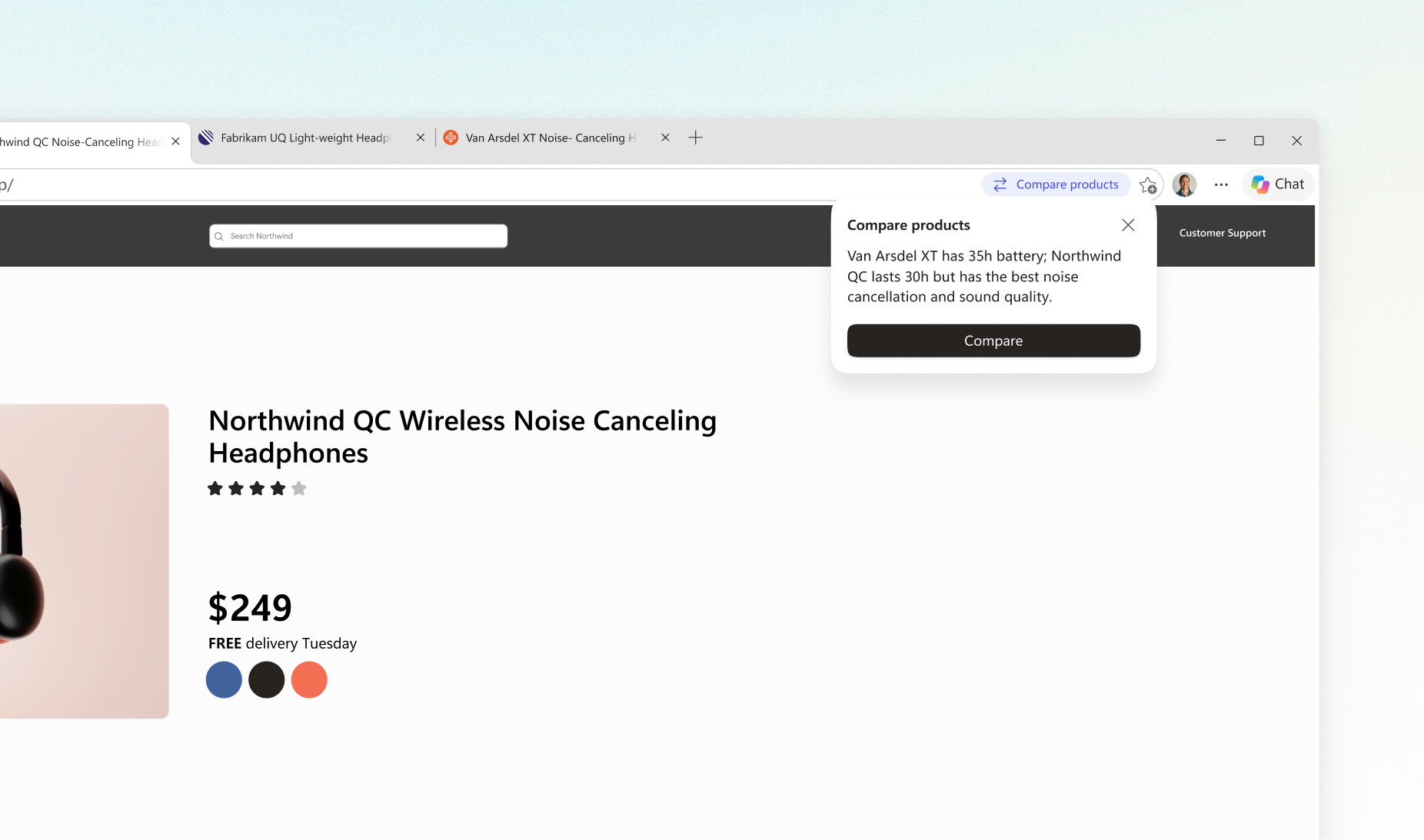
Microsoft has added shopping features to its Edge browser. When you have similar products open in several tabs, Edge offers a comparison summary, and at checkout it looks for a working coupon. The update is aimed at the year-end shopping season.
Key points
Edge offers to compare similar products open in different tabs.
After you pick compare, Copilot, Microsoft's AI assistant, summarizes specs and prices on one screen.
At checkout, the new Checkout Savings feature looks for and shows a working coupon.
You can turn the feature off in Edge settings.
Why it matters
It cuts down on the hassle of switching between sites to compare products and hunt for coupons. It shows how a browser can help during shopping.
Original article
Shop faster and save money with built-in tools in Microsoft Edge
Microsoft Edge blog · Nov 10, 2026, 1:55 AM GMT+9 · blogs.windows.com
Read on Microsoft Edge blogAI read the original article and summarized it in plain language. It may contain mistakes, so please check the original for accuracy. The article's copyright belongs to Microsoft Edge blog.