
Edge's Scareware blocker uncovers notification abuse and now auto-blocks it
Source Microsoft Edge blog
At a glance
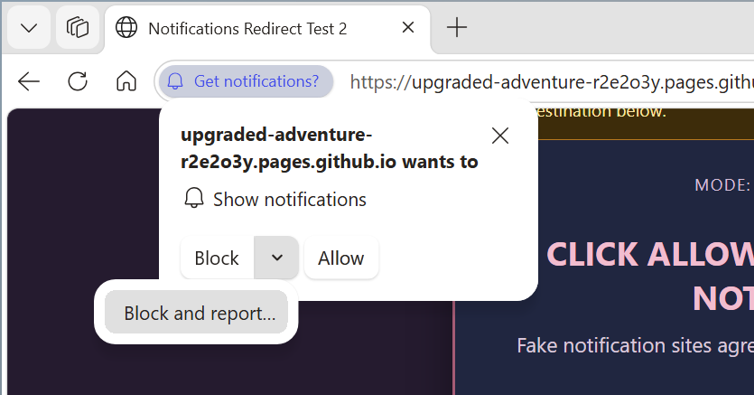
Microsoft Edge has strengthened protection against scam notifications such as fake virus warnings. Starting with Edge 156, when a scam notification is detected, Edge automatically turns off notifications from the site that sent it. The notification permission prompt also gains a way to block and report a site on the spot.
Key points
Scareware blocker (a feature that stops scare-tactic scam pages) has been on by default on supported PCs for over a year, protecting tens of thousands of people a day.
User reports showed that website notifications are a common starting point for scams.
From Edge 156, a detected scam notification turns off that site's notifications, and wrongly blocked sites can be unblocked in Settings.
Choosing Block and report on the permission prompt sends the page address and a screenshot, giving evidence to stop abuse before the first scam notification arrives.
Why it matters
The browser cuts off a trap where a single click on Allow keeps pulling people back to scam pages, so everyday users are less exposed.
Original article
Client-side threat detection: how Scareware blocker uncovered malicious notification abuse
Microsoft Edge blog · Nov 3, 2026, 7:05 AM GMT+9 · blogs.windows.com
Read on Microsoft Edge blogAI read the original article and summarized it in plain language. It may contain mistakes, so please check the original for accuracy. The article's copyright belongs to Microsoft Edge blog.