
Gemini in Chrome Side Panel Gives Quick Answers on Any Page
Source Google Gemini products
At a glance
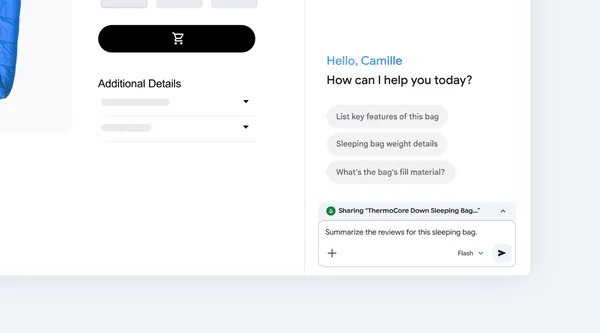
Clicking the Gemini icon in Chrome opens a side panel. You can ask Gemini questions there without opening another tab.
Key points
Click the Gemini icon in the Chrome toolbar to open the side panel.
You can ask it to summarize long reports, compare product details, or explain hard topics simply.
You get answers while the page you're reading stays open.
Why it matters
You can get explanations right away without opening new tabs, which cuts down on searching and switching.
Original article
Get quick answers from Gemini on any website.
Google Gemini products · Nov 13, 2026, 2:00 AM GMT+9 · blog.google
Read on Google Gemini productsAI read the original article and summarized it in plain language. It may contain mistakes, so please check the original for accuracy. The article's copyright belongs to Google Gemini products.